The Folloze Product Spotlight is a monthly update of new solutions, capabilities and product enhancements. Feel free to reach out to us with questions or feedback at product@folloze.com.
NEW FEATURES
Side By Side
What is it?
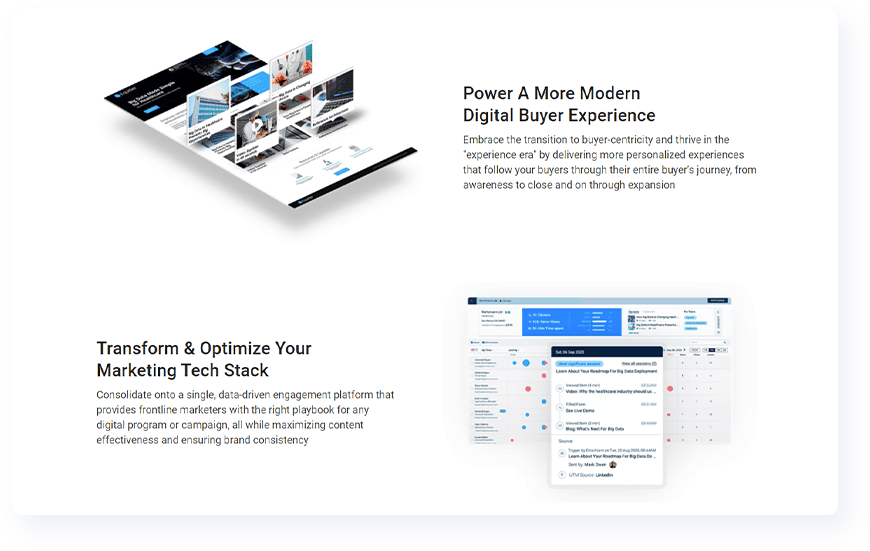
We're really excited to announce a brand new design option for Board building called Side By Side. You can activate a Side By Side section almost anywhere on a Board by simply turning the feature on.
This is a brand new way to organize copy and creative on a Board, and this feature was designed with your most successful use cases in mind, including things like demand gen, virtual events, ABM, and more!
Why is it important?
As buyer experience takes center-stage for companies looking to drive growth, our #1 goal is to continue building a platform that fully supports ALL frontline marketing needs and ALL buyer experience use cases. That means continuously upgrading our platform to support digital engagement at any stage of the customer lifecycle.
This is the first of many coming updates to the design capabilities and flexibility of Folloze Boards, and this release opens the door to a brand new format for injecting messaging onto a Board (in terms of copy and creative). The key is that this is still just as easy and point-and-click to use as any other feature in the platform. That means you'll be able to click a few buttons, type some text, and voila, you've created a beautifully designed section to share anything from value pillars to event agendas to key content offers and more.
A common use case for Side By Side is to display key messaging pillars or value props paired with accompanying product images. Each block would be set up to mirror the previous block, so text would alternate from left to right to left (and images from right to left to right).
What are the specifics?
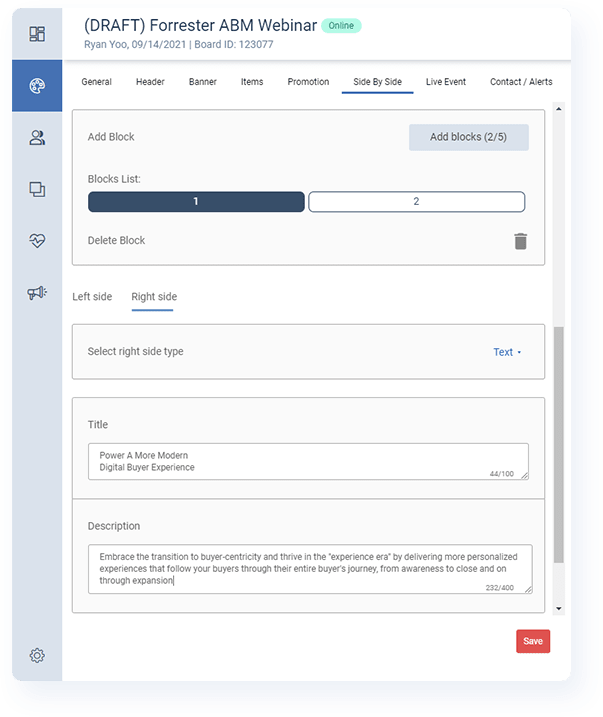
You can access Side By Side settings for a Board by looking for the 'Side By Side' tab within the Board Designer.
A Side By Side section is made up of 'blocks', and each block is made up of two columns. Each column can hold either text or a single image, but the combination of images and text in this section is entirely up to you.
Currently, a Board can have a single Side By Side section with up to five individual blocks.
For additional information on how to setup Side By Side sections properly, you can read more here.
Registration Page
What is it?
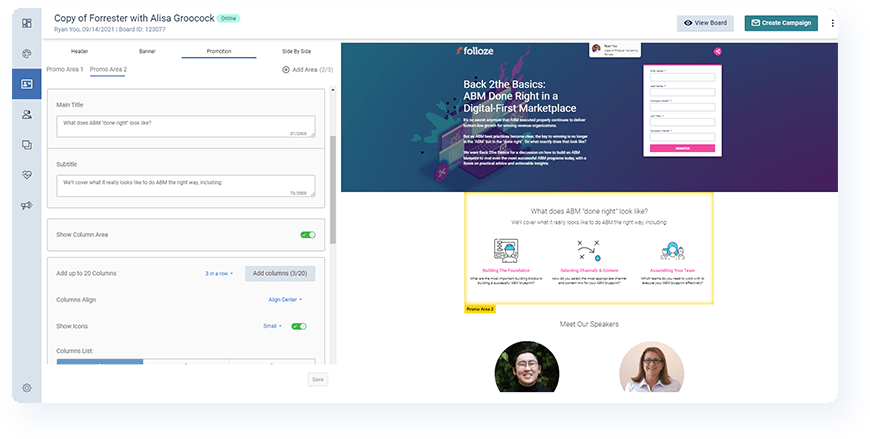
This new feature means any Folloze Board can be set up to show visitors (either unknown or all) a reduced version of that same Board for the sole purpose of converting them (i.e. capturing their contact info). This effectively means any Board has landing page functionality out-of-the-box without requiring you to set up a second Board and external landing page. Translation, one Board or one link that contains a complete two-step experience.
This was designed primarily for demand gen and virtual event use cases where capturing contact info is crucial, either in terms of measuring a conversion or registering for an event.
Why is it important?
Before this release, you might have set up a demand gen or event program with two different Boards, one for displaying a form to capture contact info (AKA a landing page) and the other for sharing the content or event that a visitor is interested in. Or, you may have even had your landing pages handled by Marketing Automation and used a Board solely for delivering the requested content.
Now, you can support this whole digital journey with just one Board, where a single Board can power both conversion and offer fulfillment.
From the perspective of your buyers, this simplifies the conversion moment (AKA even less clicks required than before) and delivers a more modern, on-demand experience when there's interest in a piece of content or an upcoming event.
From the perspective of frontline marketers, you'll be capturing the entire conversion journey all within the analytics of a single Board, and you'll be able to see a step-by-step view of the moments before AND after the actual form complete.
What are the specifics?
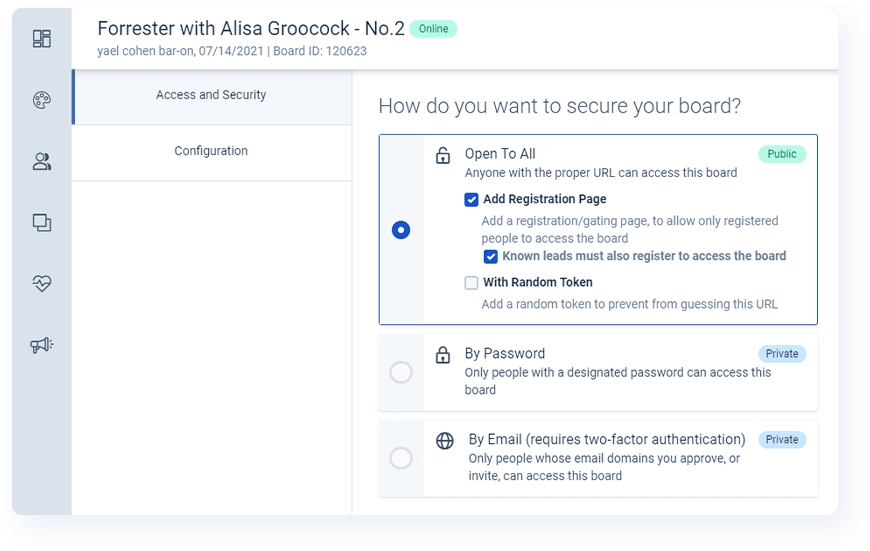
To activate a Registration Page for a Board, simply visit the Access and Security page and enable the feature. You'll have the additional option of deciding whether known leads need to manually register or whether they can be sent directly to the full Board itself (in this case, a known lead is a person who visits with a prior established identity, via cookie for example, and it doesn't make a difference whether it's that person's first visit to this specific Board or not).
A Registration Page can hold the same number of sections as a normal Board minus any content items, and when it's activated on your Board for the first time, the Registration Page will make a full copy of all sections of your Board minus the Content Items section. You can then make any changes/updates to the Registration Page independently as needed.
Board visitors who see a Registration Page are passed through to the live Board when they submit a Registration Form, so it's important that you make sure to select 'Registration' as the Click Action for a CTA when setting up your page. The Click Action must be 'Registration' and not 'Form' for visitors to be able to view the live Board upon form submission.
Don't forget that you can now set up basic email automation based on these form completions, so whether you want to send a "thank you" note or follow up with a direct link to the Board that a visitor is viewing, you can easily setup your Board so that Folloze fires an email every time a form is submitted.
For step-by-step instructions on leveraging Registration Pages, read the knowledge article here.
ENHANCEMENTS
(Admins Only) Custom Scripts: Self-Service Now Available
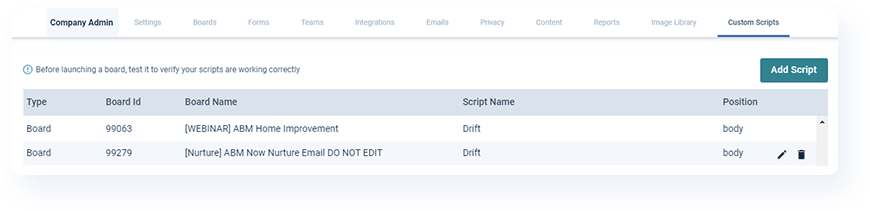
Folloze has always supported the implementation of custom scripts and tags on any or all Boards (e.g., Google Tag Manager implemented org-wide), but actually inserting the right script into the right Board has never been a completely self-service activity. This enhancement fixes that and provides any Company Admin with a self-service window to view all scripts that are currently deployed and to implement new ones as well.
This feature is intended only for custom scripts and tags, and it is not intended for implementing custom Board design changes (via CSS). Custom changes like these should continue to be submitted requests to your Folloze account team.
Please keep in mind that you should always test your Board(s) after deploying a script to ensure that your script was implemented properly and that your Board loads without any errors. If you're attempting to deploy an org-wide script for the first time, you'll need to request your 'Organization ID' from your CSM. Further documentation on applying scripts correctly can be found here.
COMING SOON
Vanity URL: Content Items
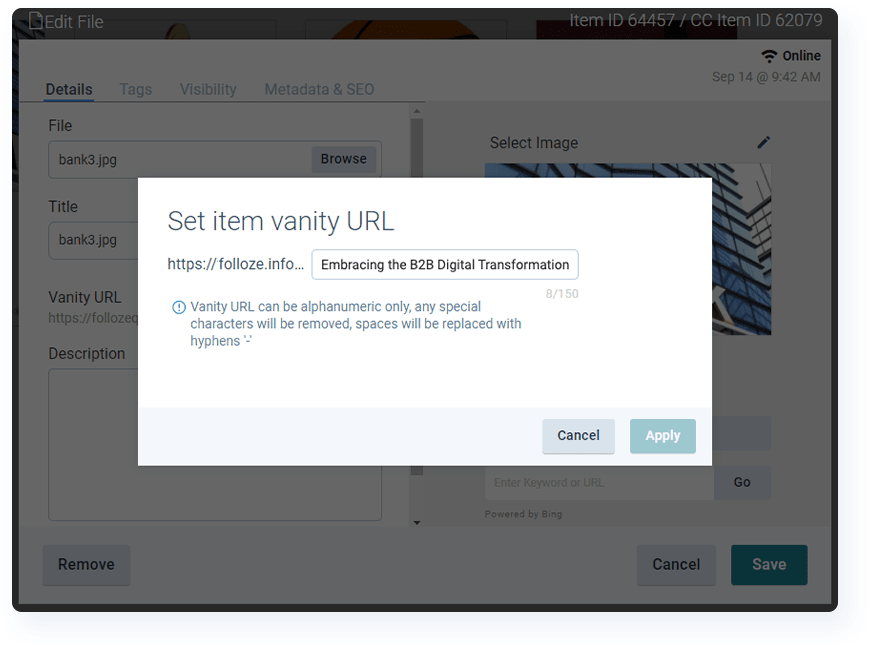
This is your sneak peek at an almost-ready upgrade to our vanity URL feature which extends your ability to manually set the vanity URL from just Boards to all content items on Boards as well. With this upgrade, you'll have even finer control over the full experience of a Board which can be particularly important for use cases where your Board is made visible to search engine crawlers for the purpose of SEO.
Currently, Folloze auto-generates an item's URL based on the title of that content, but with this next update, you'll have full control over the item URL if you don't like to many any changes to or completely replace the default (just like you can do at the Board-level today).
CUSTOMER SUCCESS SPOTLIGHT: Krysta Morley

When asked for a fun fact, Krysta thought you should know...
My first job was at a "Ripley's Believe It or Not!" Museum as a cashier. We had to keep the attractions clean, which included keeping the spooky displays presentable. I once had to brush the hair of a wax figure, and the Tallest Man figure was right next to it. It was the fastest I'd ever completed my opening duties - I was convinced they'd come alive!
When it comes to using Folloze, Krysta thought you should know...
Personalization! While it can seem daunting to first implement this feature, once you've tackled the basics and launched it once, every subsequent use case is easier. Instead of creating multiple similar Boards with very minor differences in messaging or content, leverage this feature to reduce time spent, centralize your team's efforts, and aggregate engagement data into a single location. Here's a Folloze Board on personalization for anyone that's looking to get started.
NOTE TO READERS
Although this might not be the longest Spotlight I've written this year, I think two releases this month deserve a final mention.
On one hand, Registration Pages are a big deal. For a typical demand gen use case, you need to (1) successfully promote an offer and convert visitors and (2) fulfill that offer and provide visitors what they requested. Instead of doing this on two Boards (or even doing this more traditionally with a simple landing page and an email), you can now do both the conversion and fulfillment of a campaign all on a single Board. That translates to a more modern digital experience for your own buyers, but it also means that Folloze has an even more in-depth view into the step-by-step journey of your buyers as they convert within your campaigns.
And as if that's not a big enough deal, we also have the release of Side By Side which is something I've been personally excited about for a while. The feature itself is really easy to use (honestly, it's even easier than using Promo Areas), and it really does broaden the design possibilities of Boards. Having played around with it for quite some time already, I can already see myself using this to highlight messaging pillars, value props, solution highlights, event speakers, and more depending on the use case. You need to try it!
This month really feels like a "quality over quantity" type of Spotlight. There are just a few things here, but any of them alone may be a game changer for you. If you need help or want to ask about best practices, your CSM is always an email away. And honestly? You're even welcome to reach out to me directly if you'd like as well. The door's always open :)
- Ryan 'Yooster' Yoo