Product Spotlight is back with a recap of Folloze’s Q1 2023 feature releases like Marketo Identity Matching, embedded sections in Buyer Experience 3.0 (BX 3.0), and more enhancements across the platform.
New to Buyer Experience 3.0
Embedded Sections (BX 3.0 Designer)
You now have the option to extend the Folloze experience with custom experience sections. You can implement your own code and design directly into any new Folloze board. Adding an embedded section is as simple as copy/pasting your code into the editor.
Embedded sections allow for the implementation of a custom header, widgets, and more. We’ve listed a few of the possible use cases below.
An Embedded Section as a Header:
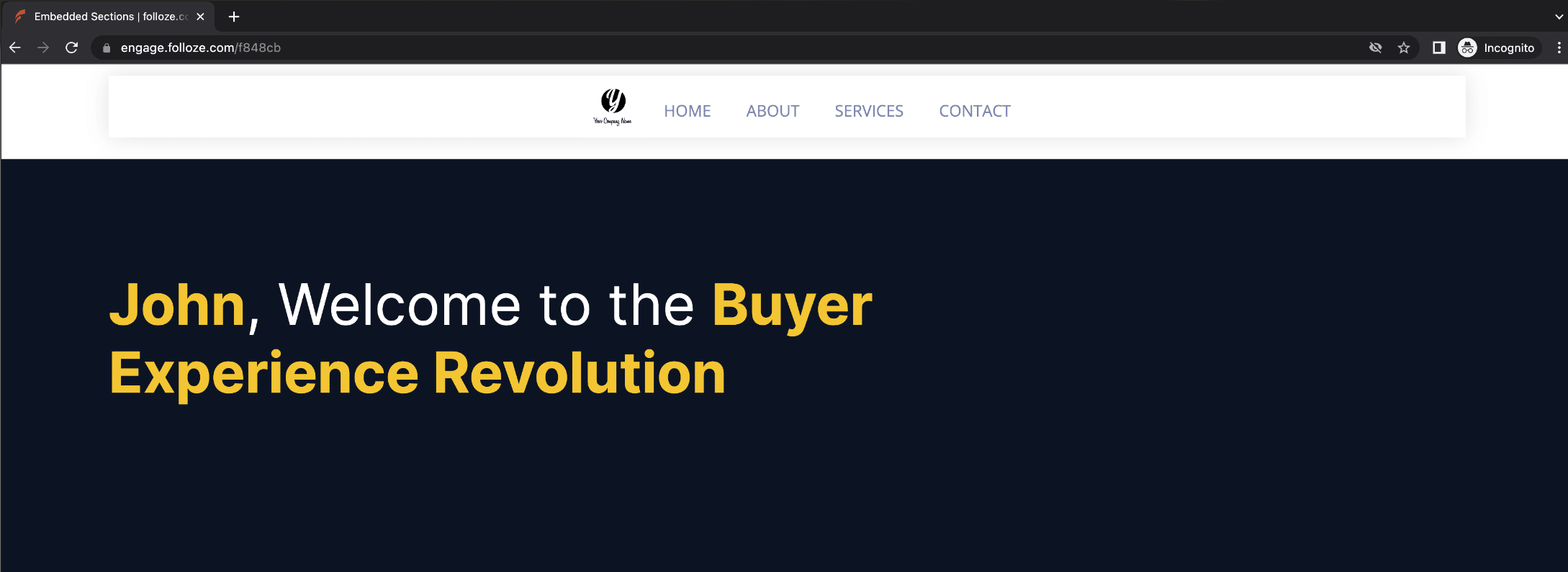
*A simple embedded header (top) and a banner (bottom) on a live BX 3.0 board.
Custom headers can be applied to your template boards as an embedded section in BX 3.0. Remember, headers have special behavior and you should select the “Embedded Header” section if you’d like your embedded code to be optimized for a header use case.
An Embedded Section as an iFrame and more:
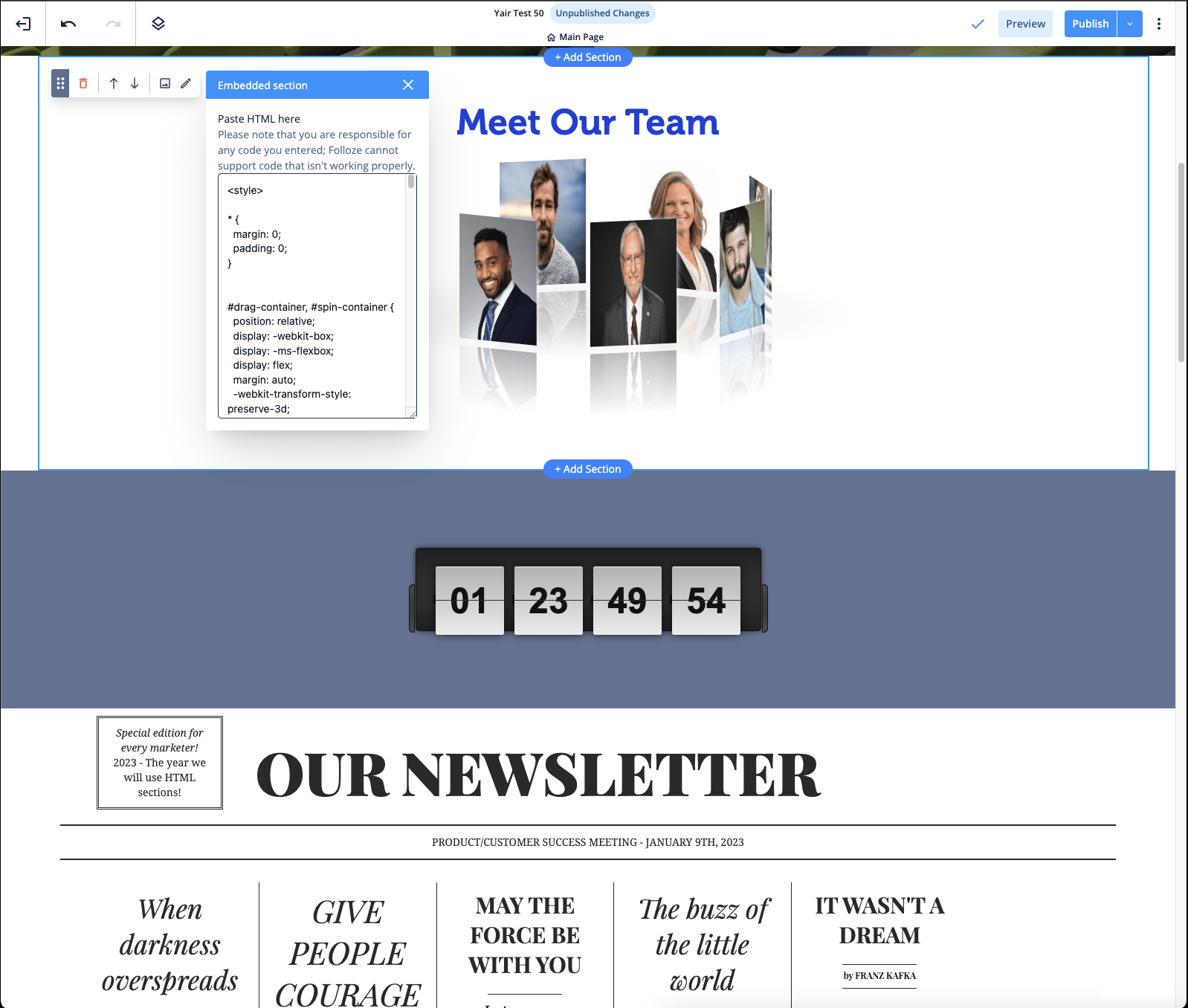 *An animated image gallery, a countdown timer, and a fun newspaper style layout are all implemented on a BX 3.0 board using embedded sections.
The possibilities are endless when implementing iFrames or other content via an embedded section. You can showcase your own dashboards, infographics, animated imagery, or even add a game of pong to your board using embedded sections!
Read more about how your team can utilize embedded sections with your own creative twist.
Dynamic Logos (BX 3.0 Designer)
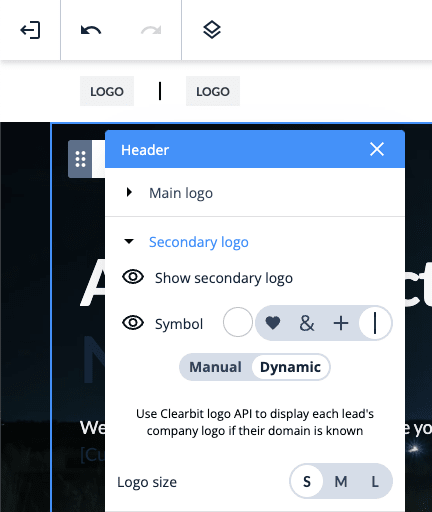
Marketers can easily personalize their header logo dynamically based on who lands on their board. When the dynamic setting is selected (as shown to the left), your board's header will automatically add the logo of each lead’s organization when they land and make every lead feel like the board was created especially for them. This feature saves marketers time in 1:few and 1:many use cases by automatically personalizing the header.
Behind the scenes, the Clearbit.com logo API identifies the lead’s company logo (if the lead's company is known) and applies that logo from Clearbit onto the board without you ever having to search for or upload lead logos.
Learn more about designing great headers for your boards.
Video Backgrounds (BX 3.0 Designer)
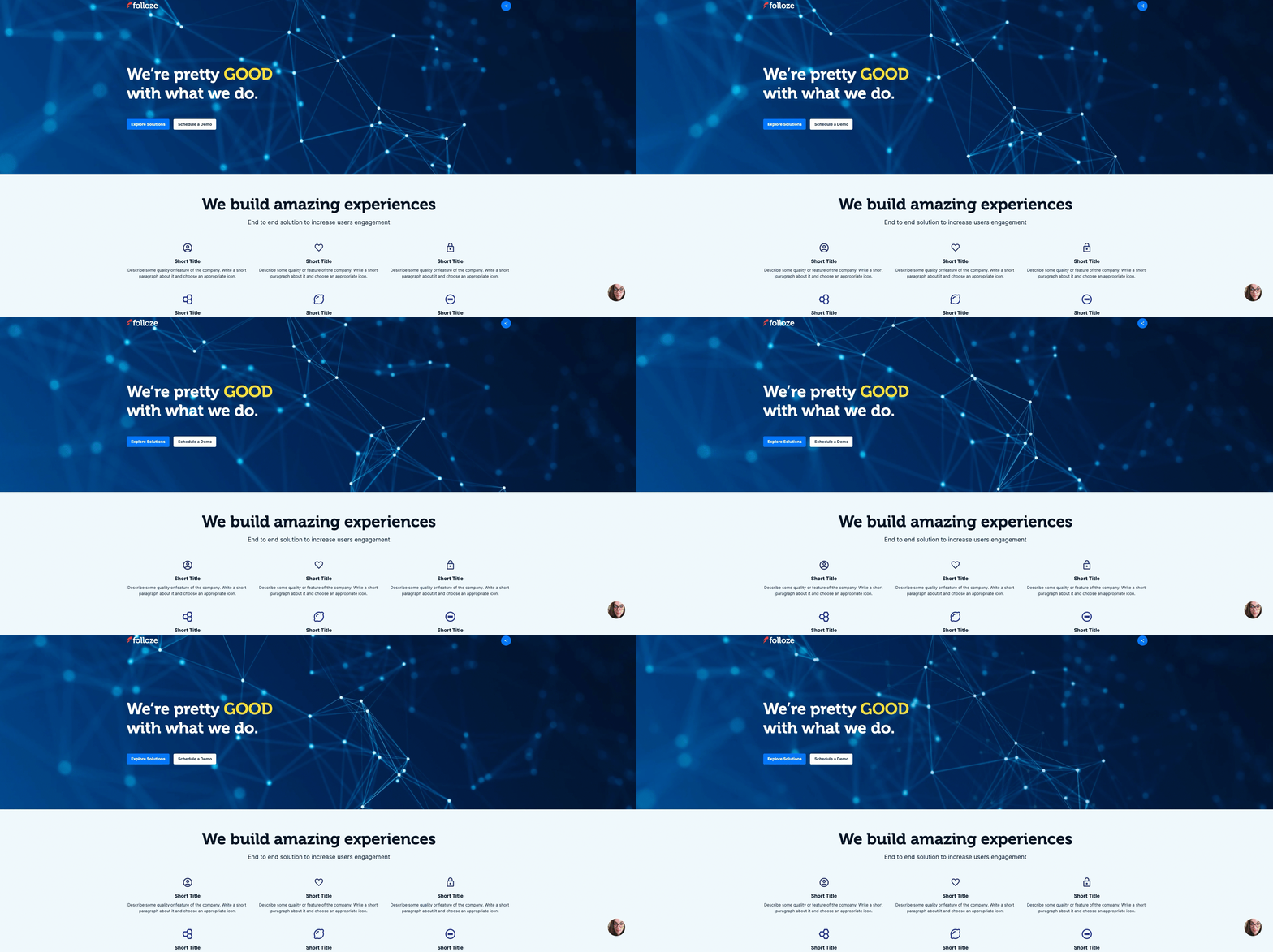
*A GIF of a live BX 3.0 board utilizing a video background on a Header + Banner section.
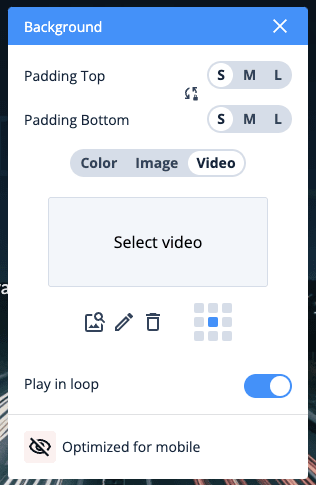
Video backgrounds are supported on all sections in BX 3.0, add movement to your banner with an abstract video background or use video backgrounds creatively to add visual interest throughout your board. For video backgrounds we support MP4 or .mov files no larger than 25mb. Details here.
Other updates (BX 3.0 Designer)
Double-click to open editors: Instead of having to click the pencil editor in BX 3.0, you can now double-click on parts of the board to open that section's respective editor.
One-line footer: We have a new layout option for footers! Our new horizontal layout (one-line footer) is a great design option that provides a clean, minimalistic look. We recommend testing it out especially if your footer doesn't use many links.

*Example one-line footer (horizontal).
Identity
Marketo Identity Matching (Admin)
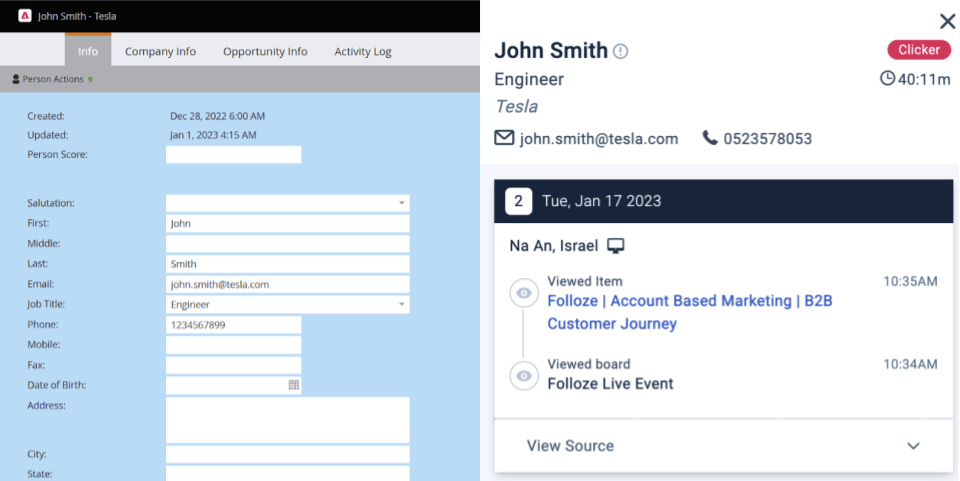
*Lead in Marketo (left) and the same lead in Folloze (right).
Folloze’s existing identity model can now identify even more unknown leads via our new Marketo Identity Matching feature. Enabling this feature allows the identity of known leads in Marketo to sync and update unknown leads in Folloze. For example, visitors that quickly abandon your page and/or visitors that were previously cookied on another page (even if they’ve been inactive for some time) can become known! This means views, viewing time, CTA clicks and more analytics will be able to be connected to your target accounts and known individuals.
Get more value from your leads and pipeline by utilizing your existing data and combining it with Folloze’s robust identity model. Read more here.
6sense Integration Confidence Level Settings (Admin)
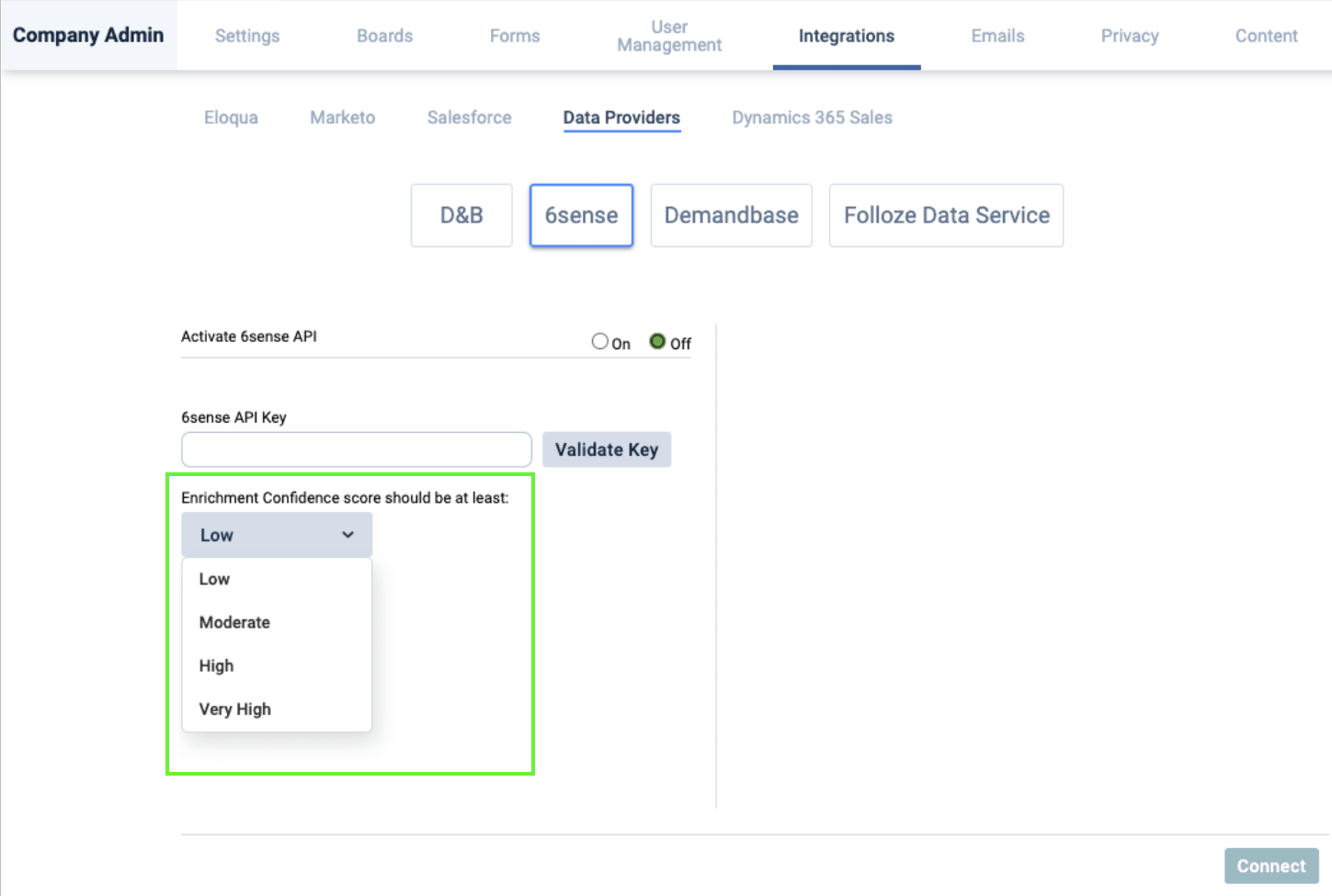
*6sense integration settings with Enrichment Confidence score settings highlighted.
If you use our 6sense integration to help identify leads, you can now control when new leads are enriched at an organizational level.
If you’d only like to update leads that have a high confidence level you can now set your enrichment confidence score to be at least “High”. By default, the enrichment confidence score is set to be at least “Low” which aligns with the behavior of the integration before this enhancement. Organizations that often gate their boards or require 2FA may find it helpful to require a higher confidence level.
Not leveraging your 6sense data in Folloze yet? Read more about Folloze’s 6sense integration here to enrich account data, personalize lead experiences, and more.
Other Releases & Enhancements
Custom Fields for Boards (Board Settings)
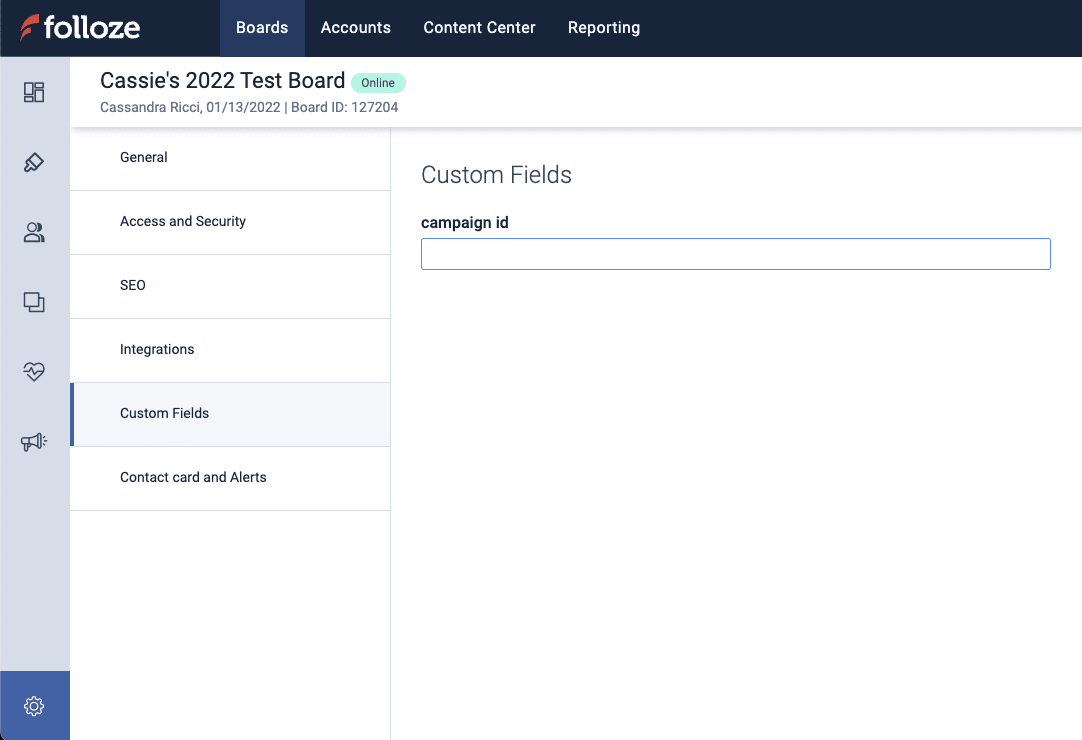
*Custom Fields section of board settings.
Custom fields for boards allow you to identify your campaigns in different systems such as your Marketing automation system. Board owners can now add field values to a board that are automatically pushed as hidden fields via Folloze forms or Marketo/Eloqua forms. This allows for multi touch attribution.
This feature can also be used to better classify boards and process analytics in a more nuanced way. For example, adding a custom field for “country” allows users to filter analytics based on the assigned “country” field. Some fields to consider are, region, division, target audience, etc.
Adding or removing fields and defining their default values can be configured by reaching out to Folloze Support. Once defined, all boards in your organization will include those fields. Read more here.
Groove Campaign Links
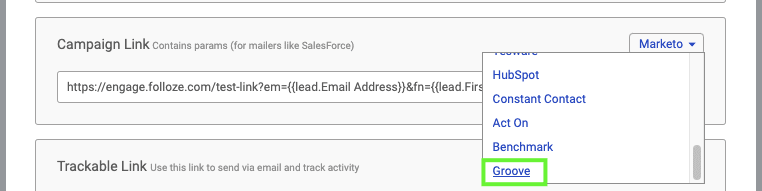
*Get Link modal with how to select Groove Campaign Link highlighted.
Marketers can now quickly copy/paste Campaign Links formatted for use with Groove.co - just navigate to the “Get Link” on your board and select “Groove” for your “Campaign Link” type as shown above. The URL’s merge fields are configured for use with Groove so there’s no need to build your own link from scratch.
Set your own 404 page (Admin)
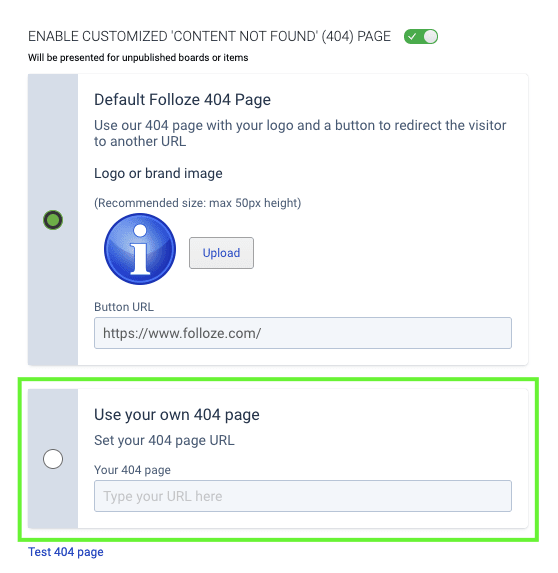
Your Admin can now set your organization's 404 page URL in the Company Admin “Settings” section. Using your own unique 404 page/link will give your customers an even more branded experience in case they happen to navigate to an offline board or item. Read more here.
Bulk Operations for Board Management (Admin)
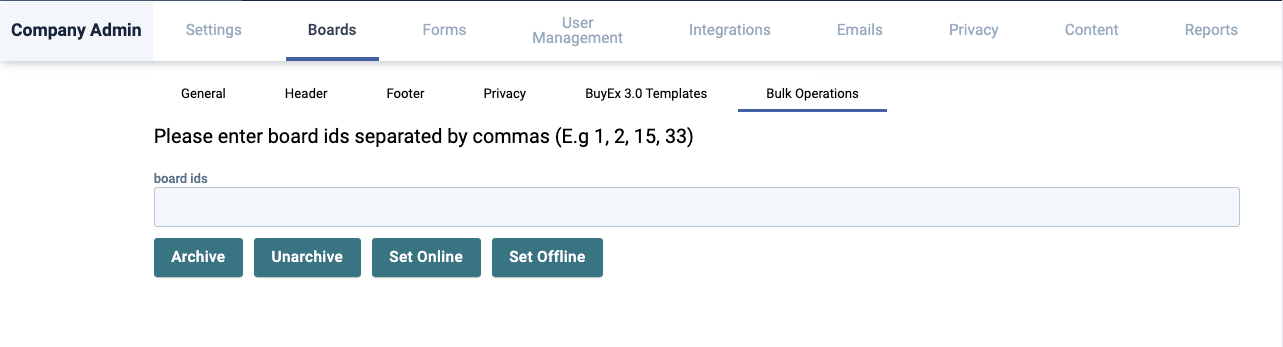
*Bulk Operations Tab in Company Admin.
Your Admin can manage boards in bulk now. Turning boards offline or online (or archiving and unarchiving them) has become a lot more scalable. Just gather the board IDs, comma separate them and click the action you need to change their status in bulk.
Thanks for reading!
The Folloze Product Spotlight includes updates on new solutions, capabilities, and product enhancements. Feel free to reach out to us with questions or feedback at product@folloze.com