This Product Spotlight highlights our powerful new Outreach.io integration, BX 3.0 Registration Pages, additional section designs, a narrow-width grid layout option, and other user experience enhancements.
New to Integrations:
Folloze Plus Outreach Integration
Our Folloze plus Outreach integration helps you deliver auto-personalized content experiences via Folloze boards to Outreach sequences and emails. This allows you to capture deep insights into customer intent and activities during their journey. The integration supports team agility and empowers Marketing and Sales collaboration by giving marketers the freedom to create engaging customer experiences that are easily utilized by Outreach users.
What is it?
*Faraz from our Solutions Consulting Team, demos our Folloze plus Outreach Integration in this short video.
Sales users can now quickly add personalized links to an email or sequence in Outreach. Simply select a board or piece of content directly from the email editor for use in a sequence or one-off email. Outreach Identity Matching ensures board and content links are automatically tokenized with lead data upon sending. Data synced with Folloze includes each recipient’s email, first name, last name, title, phone number, and company as it is listed in Outreach. This lead data is then captured by analytics and also impacts auto-personalization such as our dynamic Contact Cards.
See how to send a board in Outreach here.
Attribution of Outreach emails is totally automated and stored within each tokenized link. Various UTMs such as Medium, Source, and Campaign are automatically included. You can even set your UTM_Campaign to match the relevant sequence name or email title to help your team attribute success where it is due! All data is encoded in a token so there are no exposed parameters in links sent. With this easy attribution marketers can track the performance of sequences, the board in use, or even specific content assets.
Read more about how to set organization-wide UTM behavior here.
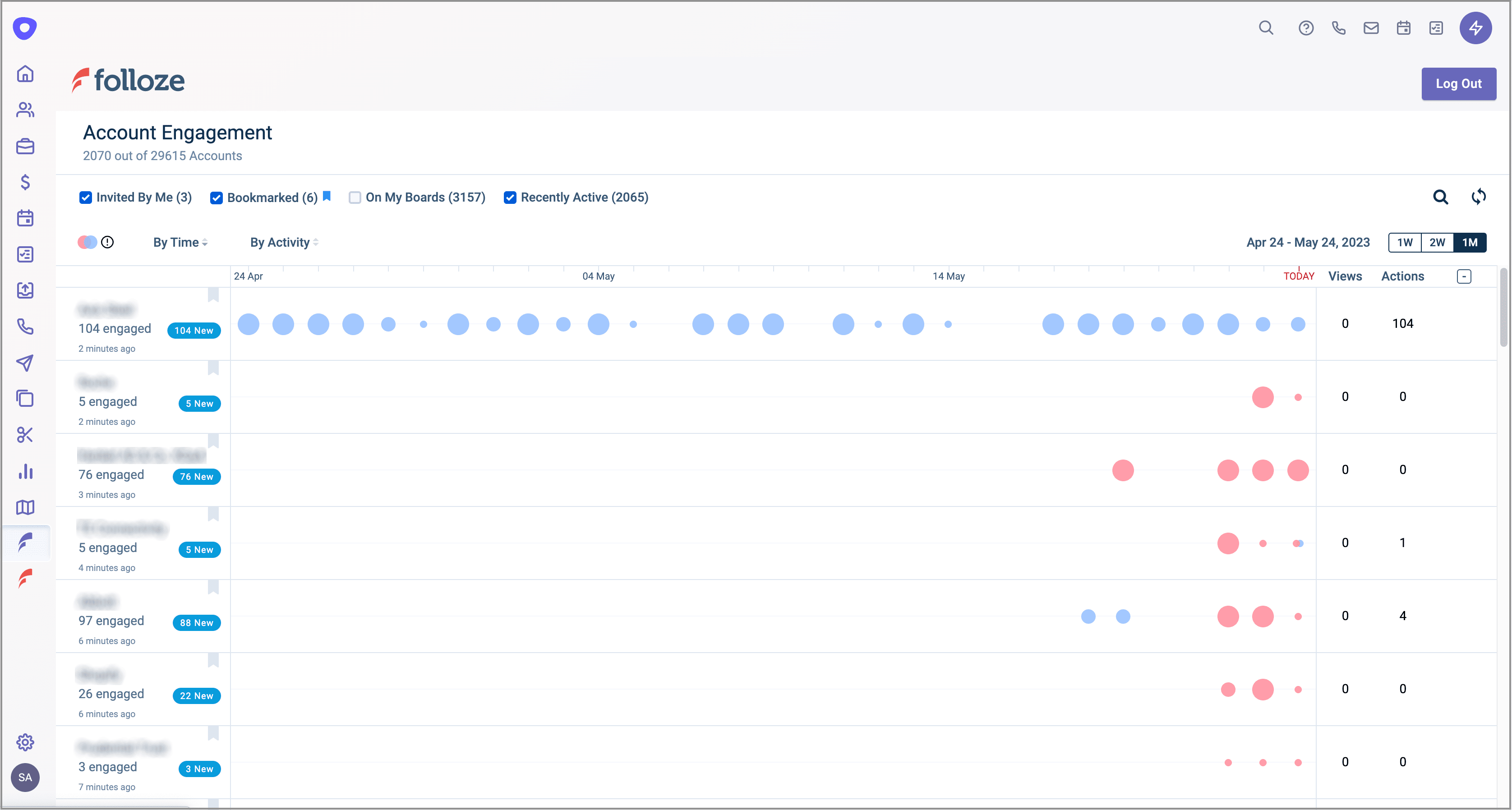
*Our fully integrated Folloze engagement dashboard is available from within Outreach (default account level visualization shown above).
Now you can view real-time account and contact engagement activity within Outreach! All of this data is securely synced between Folloze and Outreach as your campaigns run so sales teams are always up to date.
How does this help you?
From the first touch to the finish line, you can drive a higher pipeline with full attribution all while giving your Sales Team direct account and lead insights.
Folloze plus Outreach powers up your entire GTM engine by increasing your team’s agility and access to insights while ensuring that the data essential to your team’s success is always present in the links your leads click.
The integration simplifies what’s needed to deliver highly relevant experiences and engage prospects from the very first touch. This means that different accounts can get different messaging, CTAs, content, and much more, based on their account, industry, role, etc.
Sharing an entire personalized experience is a highly effective and strategic way to engage prospects; personalized, relevant engagement and deep insights deliver 4-5x outcomes over traditional GTM campaigns.
From our team: featuring Meghan Richardson, Sr. Enterprise CSM:

"The Folloze plus Outreach integration builds a much stronger alignment between Sales and Marketing by enabling both teams to gather valuable insights in parallel; significantly increasing their prospecting efforts and results."
*Speak to your CSM or AM to talk Outreach strategy, get access to Playbooks, and more.
As just one example, outbound TOFU sequences can now provide your team with valuable lead data that remains accessible throughout the customer journey. Known leads get a personalized experience while your team simultaneously gets actionable first-party intent data to prioritize efforts and understand what’s working. Known visitors allow for more nuanced personalization and provide a better experience for buyers while getting more data for marketing and sales use.
Save your spot at our Outreach integration Webinar on Tuesday, June 13th!
New to Buyer Experience 3.0:
Registration Pages
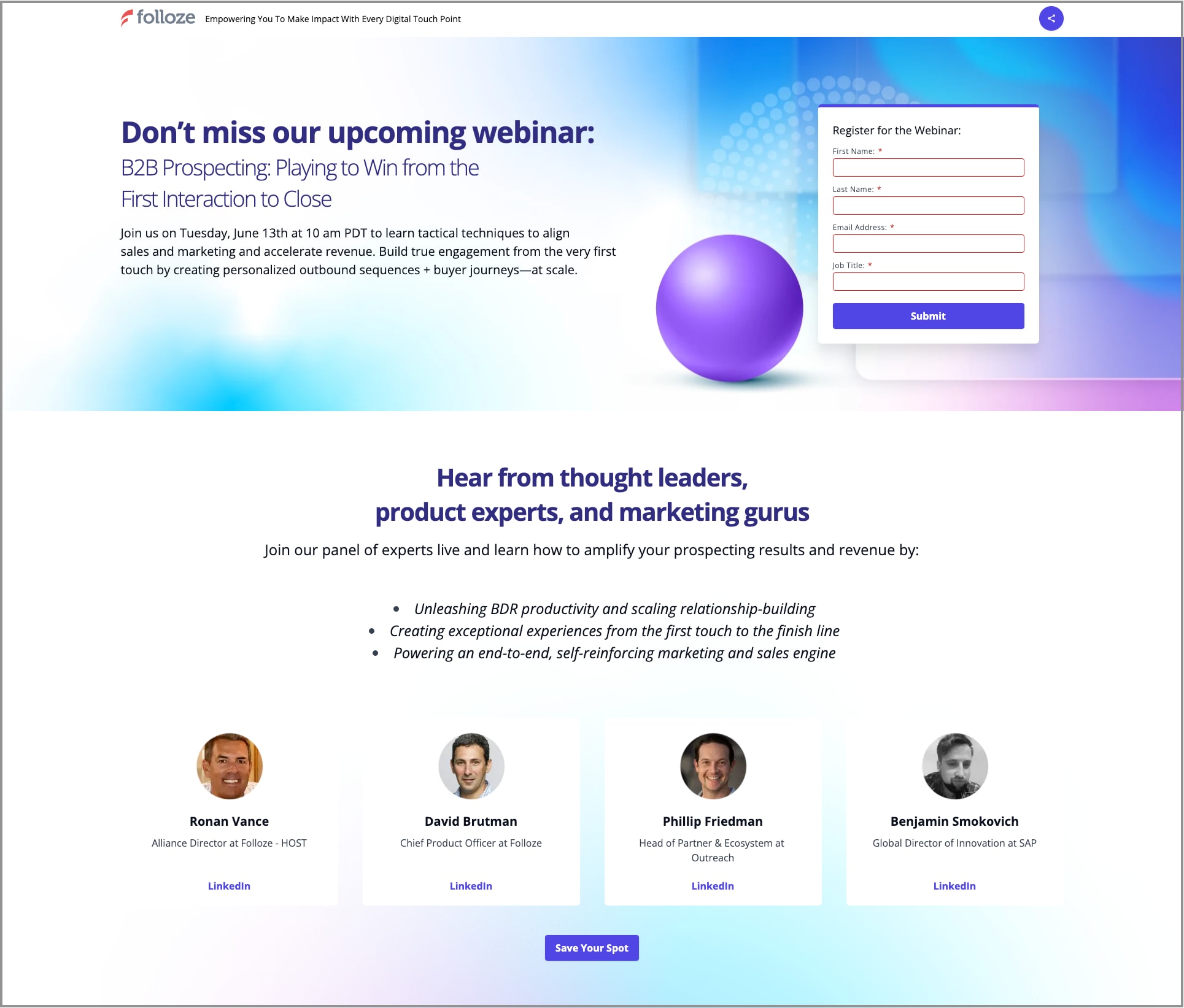
*One of our own registration page designs is shown above.
Registration pages precede your board's main page so you can call attention to high-value content on your board and capture contact information.
You can use boards with a registration page to share exclusive content (such as analyst reports, playbooks, etc.), or foster panels or VIP programs. We’ve seen clients have great success with pre-event hubs hosting agendas, teaser videos, and speaker spotlights as well as post-event hubs with event recordings and documentation. Registration pages ensure that you are able to capture contact information before your board’s main page is viewed.
To get started and add a registration page to your board in BX 3.0 simply “+Add Page” at the center of the designer’s top menu bar. See a visual step-by-step creation of a registration page here.
Hone in on registrants in your Pulse Tab to see what type of leads are flowing down the funnel through your registration page. Adjust and personalize their experience to increase conversion!
Narrow Grid Layout Option
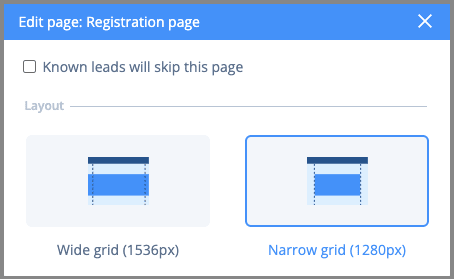
*The new narrow grid layout option is highlighted in the design menu shown above.
Further increase focus on your CTAs or just get a more minimalist page design with our new narrow grid layout option for boards! Select your preferred layout option by clicking the cog icon next to the page type you’d like to change. A narrow grid layout can be applied to your board’s registration page and/or main page. It’s perfect for creating clean registration pages or for organizations with more minimalistic design needs.
New Section Designs Coming Soon!
Folloze’s Buyer Experience 3.0 designer currently hosts 9 section categories and over 25 unique section designs. No matter your use case, you have design options to build and experiment with. This month we released even more options for you to amplify your creativity with.

New "Text" section category (preview shown above):
Get to the point with these straightforward messaging sections. You can quickly share your key value props and keep your messaging front and center with these focused headlines. Remember you can personalize your selling point based on who is viewing your board.
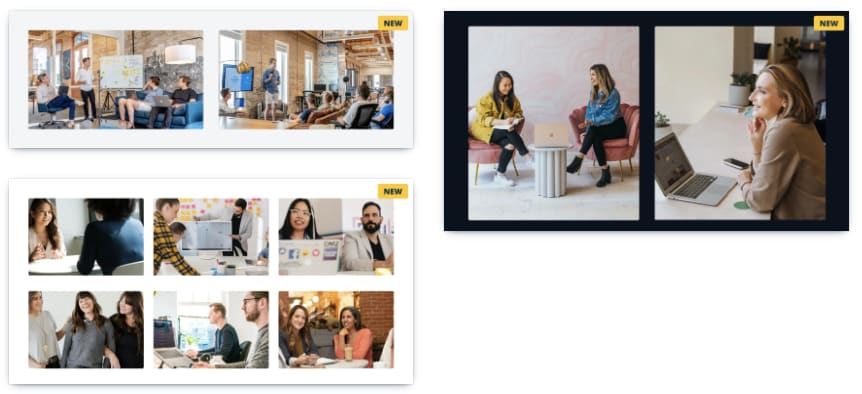
"Images" category additions (preview shown above):
Jazz up your board with more photos or graphics. Spark visual interest with event photos, design mockups, etc.
"CTA" category addition: Our CTA category also has a new section design. These sections pair wonderfully with our new registration page functionally!
New "UI elements" category: We’ve added more decorative ribbon sections to our new UI elements category. Add some visual flare and break up your board with some color or a textural image!
Send an Email Action for CTAs
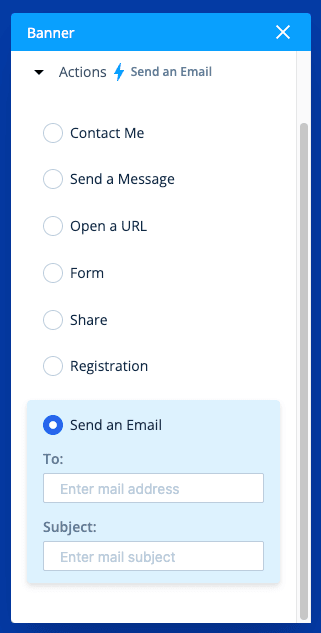
Thanks to customer feedback, the "Send an Email” action is now available on any CTA/button used on BX 3.0 boards. Start direct conversations and foster 1-1 relationship building with ease (for you and your customers). As with all buttons, clicks are tracked in the Pulse Tab and can trigger notifications for your team.
Additionally, the receiving email can be any email and is not limited to Folloze user emails. This means you can have a CTA prompt visitors to send emails to a shared or managed email address.
Explore button action options in detail here.
New to Company Admin
Bulk Suspend Users
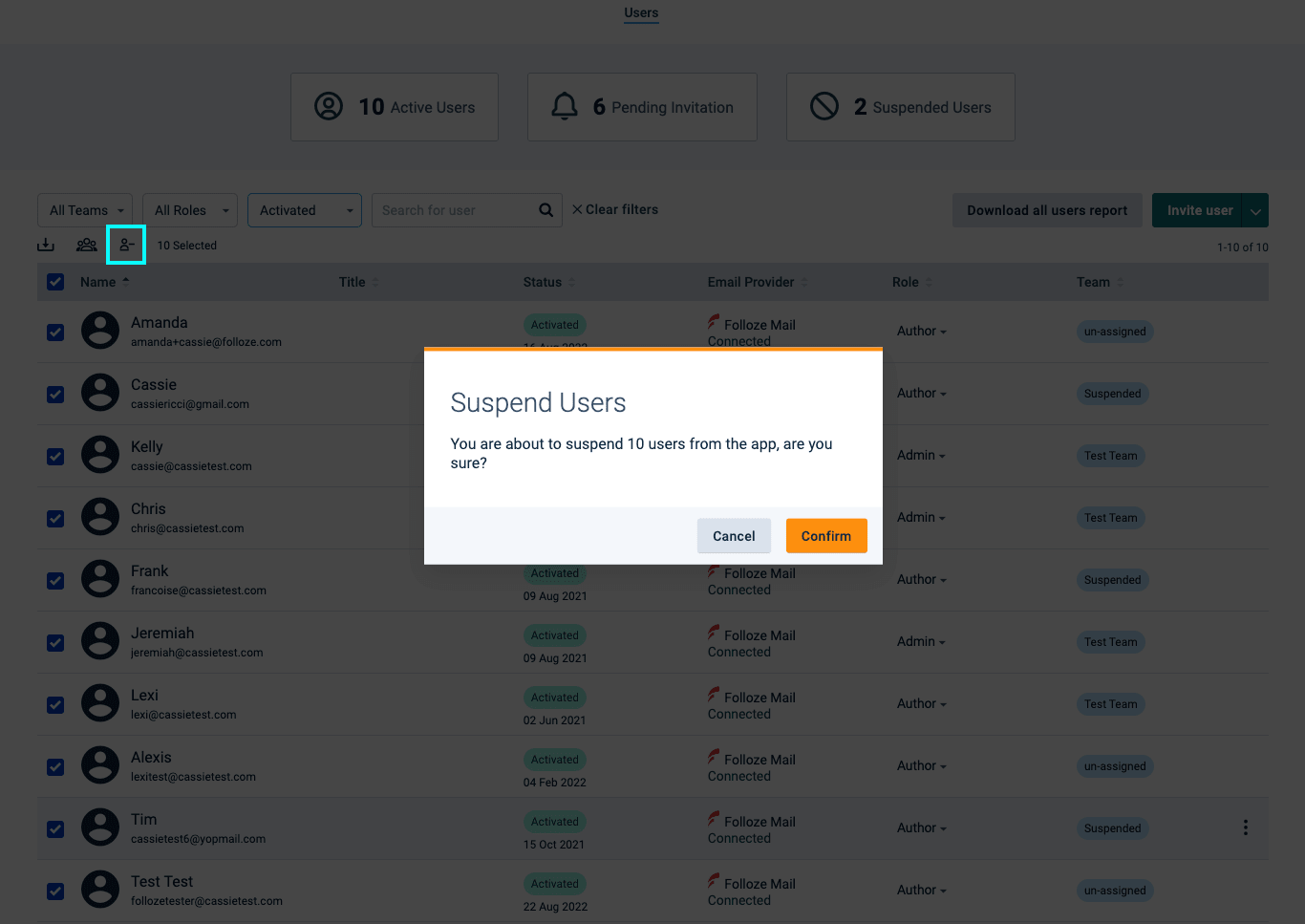
*The bulk suspend button is highlighted in the top left.
In case you missed it, our User Management section of Company Admin continues to evolve as we add more ease-of-use updates! For example, you can now bulk-suspend users and easily clean up your roster of Folloze users in just a few clicks. Learn how to use the feature here.
Did you know?
Stand-alone images are editable by double-clicking or selecting the blue pencil (aka the individual editor). However, images in groups such as those in carousel or column sections are controlled at the section level so that your design choices are applied to all images or text in that specific section. This helps maintain visual cohesiveness and a strong design hierarchy. It also makes editing the images and text in these sections faster.
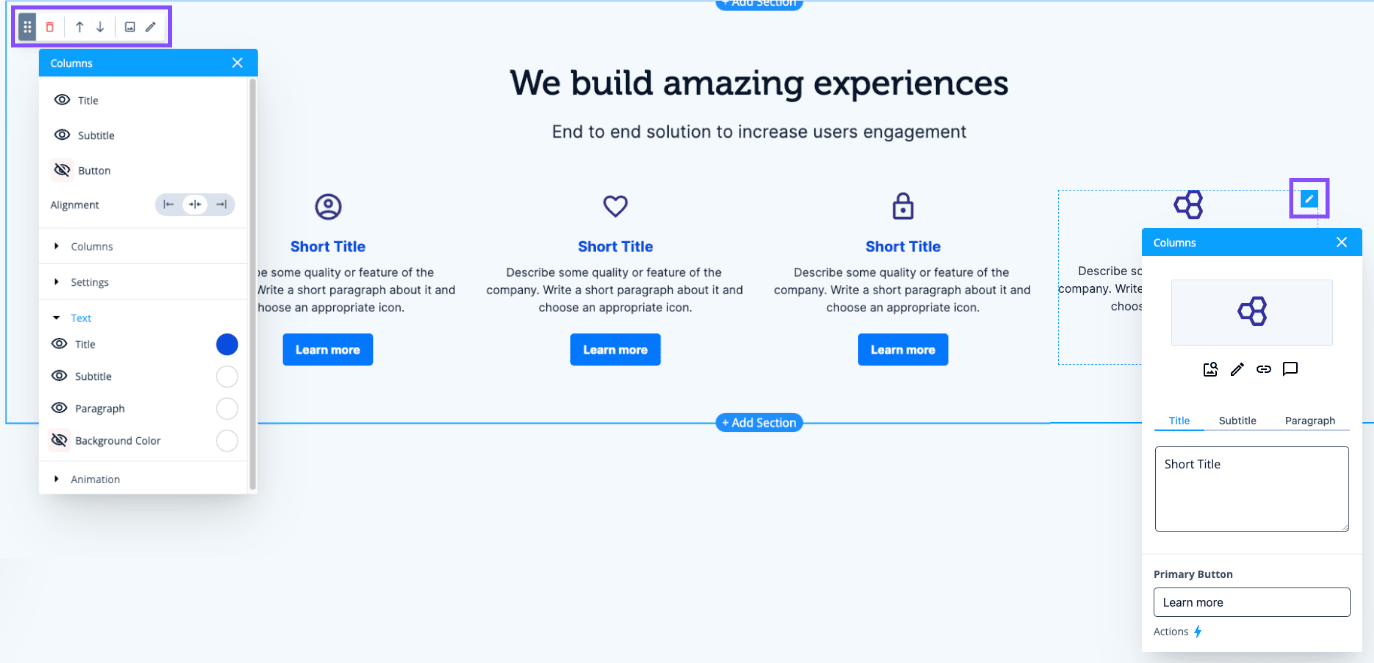
*Section-level menu (top-left) and an example of an individual editor (right).
Still exploring all of your options in Buyer Experience 3.0? Read more here.
Thanks for reading!
The Folloze Product Spotlight includes updates on new solutions, capabilities, and product enhancements. Feel free to reach out to us with questions or feedback at product@folloze.com