The Folloze Product Spotlight is a monthly update of new solutions, capabilities and product enhancements. Feel free to reach out to us with questions or feedback at product@folloze.com.
NEW FEATURES
Content Engagement Report (admin-only)
What is it?
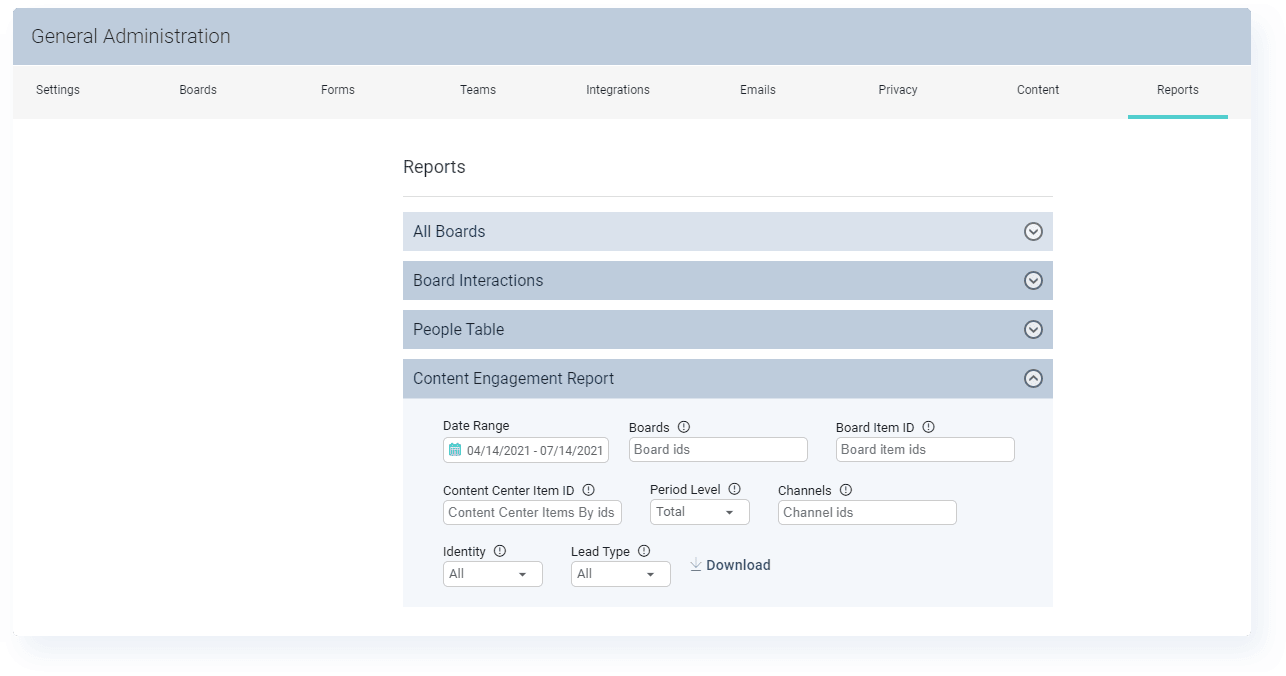
Admins can now pull and download a report that displays content engagement metrics for any number of individual content items, with several additional filters to help produce the desired report out-of-the-box.
Why is it important?
Being able to demonstrate ROI on marketing activities is one of the key ways marketing teams can build trust with their non-marketing counterparts, and given how much our organizations invest in content, reporting on content performance is a priority that is shared universally across almost all of our customers.
This new feature improves visibility into the performance of individual content items, whether for a single Board or across all Boards where that item is being shared, and provides another new way of answering the question of "what's working and what's not."
What are the specifics?
To access this reporting tool, admins simply need to visit their 'Company Admin' panel and select 'Reports' from the top-menu.
When generating a report, admins can take advantage of filtering options, including which Board(s) and/or channel(s) to pull content performance for and what time period to display engagement from.
While this feature is currently admin-only, a more user-friendly version of this reporting will be made available to all users in an upcoming release focused on more robust, user-friendly reporting across the Folloze platform as a whole.
Marketo Forms 2.0
What is it?
This brand new update to how Folloze Boards can leverage Marketo forms includes the ability for Company Admins to make existing Marketo forms available for use inside your Folloze instance and the ability for Board Creators to use these Marketo forms on their Boards without any drawbacks or limitations.
This is a much more integrated approach to leveraging Marketo forms than simply placing an embed code on a Board, but it's still remarkably easy to take advantage of. Done properly, form completions will be reported inside Marketo as native conversions (so existing automations will continue to fire even when conversions happen on a Folloze Board) and inside Folloze as proper CTA Clicks (with all the granularity and person-level insight you're used to seeing). No more tradeoffs!
Why is it important?
One of the larger gray areas in using Buyer Experience Platforms like Folloze can be how these platforms should interact with your Marketing Automation Platform, since those are oftentimes a system of record for your marketing organization. Plus, these systems are often home to all sorts of automations, whether for lead scoring or nurturing or email automation. Updates like this smooth the friction between teams using Folloze and teams managing your Marketo instance and allow the two platforms to work that much better together.
If you're a current Marketo customer, taking advantage of this update means two things:
- Your Board Creators can make use of forms that already exist in Marketo, saving them time and the stress of possibly being out-of-compliance
- Your Marketo owner(s) no longer have to worry that they don't have visibility into conversions that happen on Folloze Boards
Whether your Board Creators are gating content or placing forms behind CTA buttons or even using a Promoted Form visible at the top of a Board, they can take advantage of full-functionality Marketo forms without having to deal with any limitations within either Marketo or Folloze.
What are the specifics?
For Company Admins:
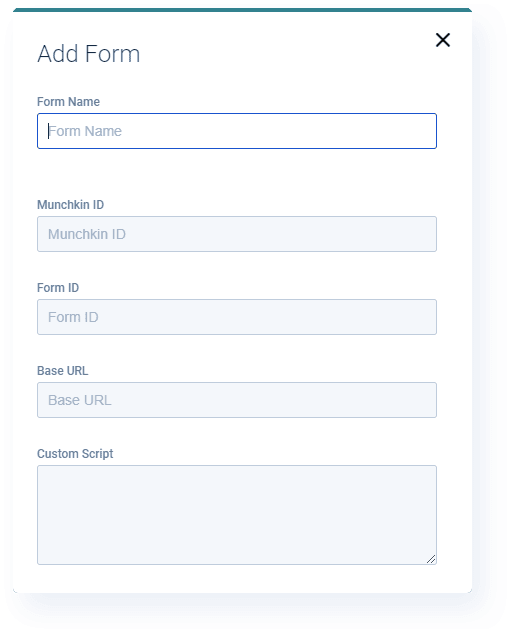
In order for your Folloze users to be able to leverage Marketo forms properly on their Boards, you'll need to add them to your Folloze instance.
To do so, visit your 'Company Admin' panel and select 'Forms' from the top-menu. You'll be given the option to add new Marketo forms or modify existing ones.
Once completed, Board Creators will be able to select the added Marketo forms from a drop down list when configuring a form inside the Board Designer.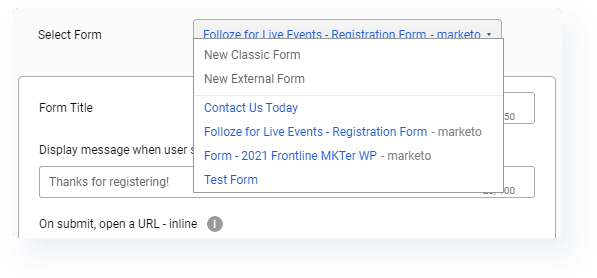
For Board Creators:
Once a Company Admin has made a Marketo form(s) available for use, you'll be able to select it from the 'Select Form' dropdown list regardless of how or where the form is being presented.
Even when using Marketo forms, you'll still have the additional options of giving your form a Title (to appear at the top of the form for visitors) and designating a post-submit message (to appear after someone submits a completed form, e.g., "Thanks for registering!").
ENHANCEMENTS
Forms: Success Message Pop-Up
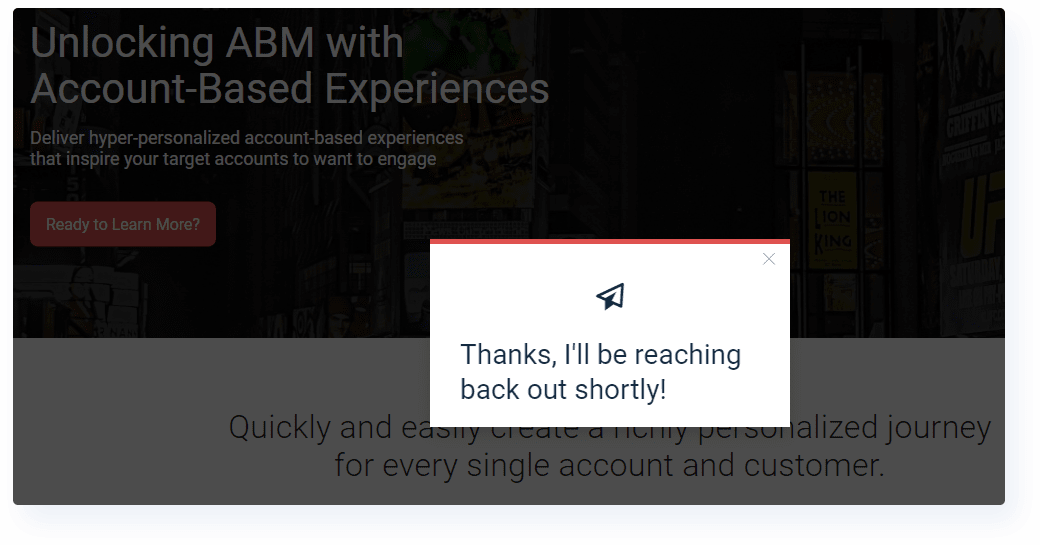
We've made a small enhancement to form functionality that allows you to designate a pop-up message that appears after a Board visitor submits a completed form.
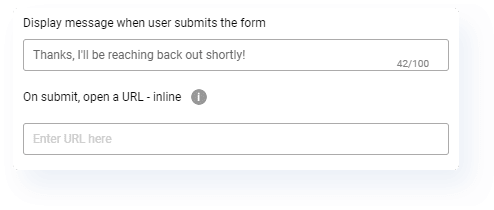
You'll find this feature available regardless of whether the form is promoted on the Board, sits behind a CTA button, or gates individual content items. This even includes the ability to define a pop-up message when using Marketo forms instead of native Folloze forms as well.
Access & Security: 2FA Verification Code
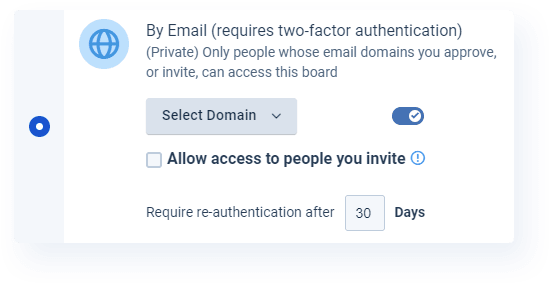
We've made a small adjustment to the verification code that is sent to Board visitors when they are asked to authenticate themselves. Instead of being valid for 5 minutes, the code will now be valid for 15 minutes.
Even if you're sending a protected Board to an account with top-notch email filtering and security, 15 minutes is more than enough time for the verification email to work its way to the visitor's inbox so they can complete the authentication process as expected.
Content Center: Item ID
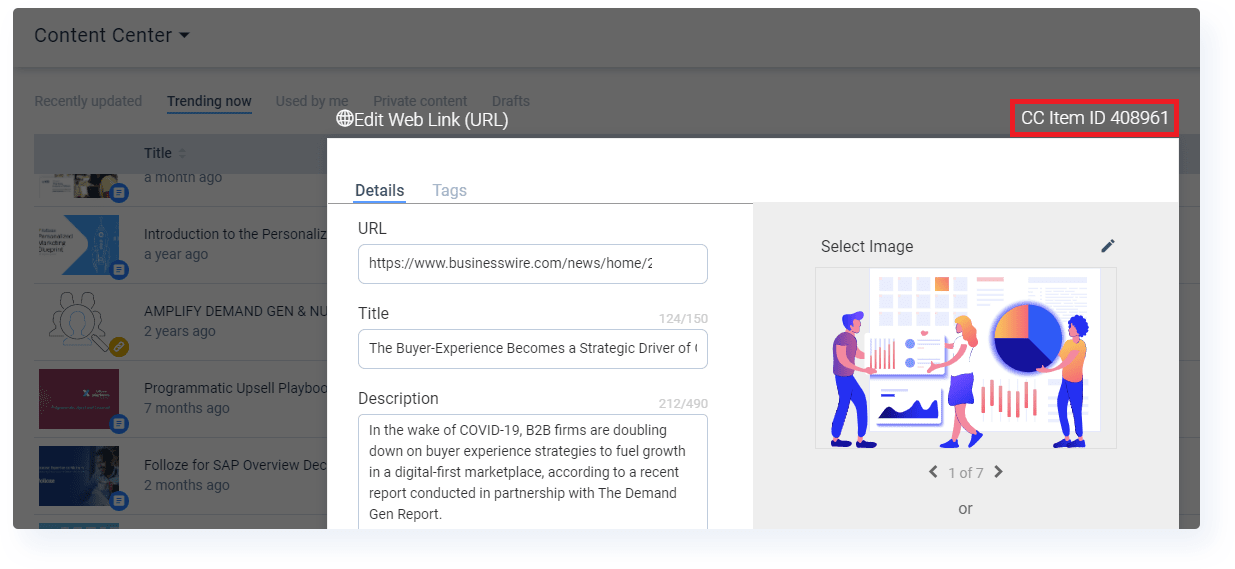
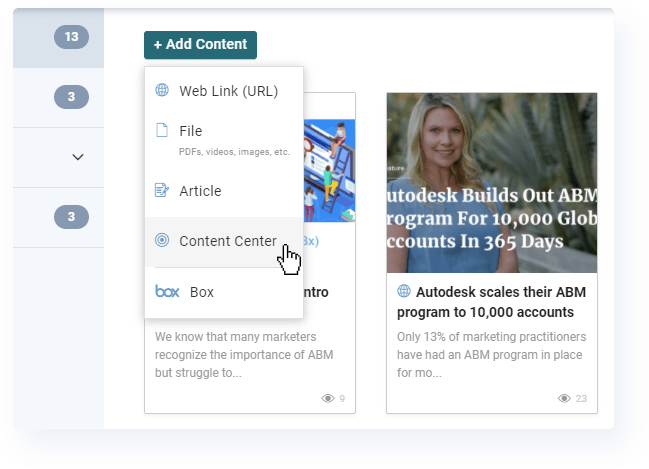
Each content item now has its own corresponding "CC Item ID" which represents the parent file inside the Content Center. This is unique to the Content Center and separate from the currently existing "Item ID" which is assigned to items when they are added to Boards.
You'll find the 'CC Item ID' helpful in two situations. One, when you're looking for content, you can now search by 'CC Item ID' in the Content Center. Two, when you're working on reporting, you'll need the 'CC Item ID' anytime you want to measure engagement at a content-level. For example, in the brand new Content Engagement Report (mentioned above), admins can use the 'CC Item ID' to pull an engagement report for a single content item across all the Boards where that content has been shared.
CUSTOMER SUCCESS SPOTLIGHT: Denise Migliardi
When asked for a fun fact, Denise thought you should know...

I'm an only child but I come from a very large family. Or, if you want even more...
I am a fourth generation daughter with a birthday on the 22nd. My birthday is 2/22, my mom's is 8/22, my maternal grandmother's was 10/22, and my great-grandmother's was 4/22.
When it comes to using Folloze, Denise thought you should know...
I'd really like to highlight the Content Center and remind people that it's best practice to search for content items there before adding new to their Boards. This will ensure accurate reporting on content performance. Plus, any global updates made to the content you pull from the Content Center would automatically be reflected on your Boards as well.
NOTE TO READERS
One of the most interesting lessons I've learned doing Product Marketing for a SaaS company is that you never know which feature, small or large, will drive an overwhelmingly positive response from customers. I remember a few years back when image cropping first made its way into the platform, and the number of customers that went out of their way to mention how pleased they were blew me away given how "small" that feature seemed compared to some of our much larger releases at the time.
For Marketo customers, I get the sense that this new ability to fully leverage Marketo forms on Folloze Boards might end up being one of those features... but I'll have to leave it to you, the customer, to decide if that's the case.
I know I sound like a broken record, but thanks for taking the time and see you next month!
- Ryan 'Yooster' Yoo