The Folloze Product Spotlight is a monthly update of new solutions, capabilities, and product enhancements. Feel free to reach out to us with questions or feedback at product@folloze.com.
NEW FEATURES
Folloze Live Events: Simulive Streaming
What is it?
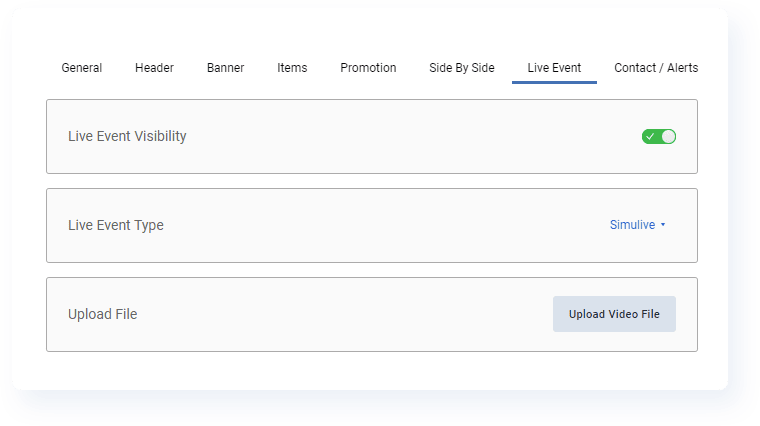
Users with access to building Live Events on their Boards now have the ability to set up a simulive video stream directly inside Folloze without any other tools required. By definition, simulive events feel like a real-time video stream to your audience, but are really just pre-recorded sessions streamed in a live format.
There is also an additional option to automatically convert your simulive stream into an on-demand recording immediately after the live portion of your virtual event concludes so you can further automate your post-event follow-up and continue to capture a long-tail of engagement after your event has wrapped.
Why is it important?
As we mentioned when we first announced the launch of Folloze Live Events, smaller-audience events, from regional webinars to workshops to executive roundtables, are becoming more and more prominent within the average B2B buying experience.
In fact, recent research by Forrester found that four of the top 10 most important interactions for buyers at the top of the funnel are event-related, and seven of the top 10 most important interactions for buyers at the bottom of the funnel were some kind of a conversation between buyers and subject matter experts (e.g., product development teams, reference customers, industry influencers).
COVID may have been a great excuse for us to quickly transition to a digital-first world, but it's no longer the only way to justify executing these higher-touch virtual events in the first place. Why do smaller audience virtual events? Well at this point, the proof is in the pudding.
What are the specifics?
To setup a simulive virtual event, select 'Simulive' under 'Live Event Type' within the Board Designer tab. Once selected, you'll upload your video file directly into the Folloze platform.
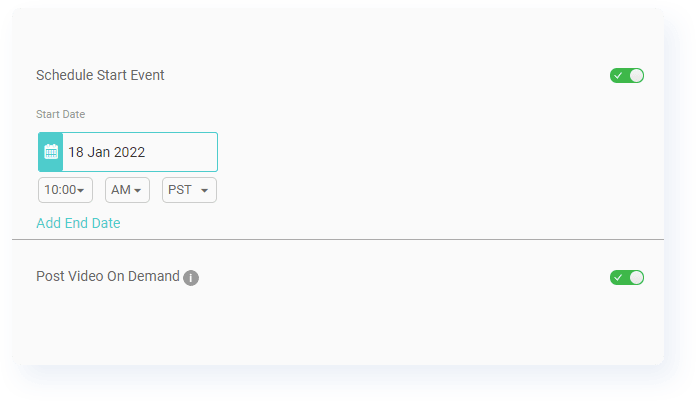
From there, be sure to schedule the date and time for when your event will go live. The simulive stream will not be available for attendees until the designated time and date. If you enable 'Post Video On Demand,' Folloze will automatically replace your simulive stream with an on-demand recording once the full video file has finished streaming to live attendees.
So what is the attendee experience like in this case? First, during the live airing of your simulive stream, attendees will not be able to rewind or fast-forward the stream (just as they would experience for a truly live video stream). This means that an attendee arriving to your event 10 minutes after it has started will join the simulive stream 10 minutes into the session.
In contrast, once your simulive stream has converted to on-demand, attendees will be able to interact with your on-demand event like a typical video, with the ability to skip around and re-watch certain parts of your presentation.
To learn more about Folloze Live Events, including detailed instructions on setting up your very own virtual event, read "Adding a Live Event to a Board" in the Help Center.
The Report Center
What is it?
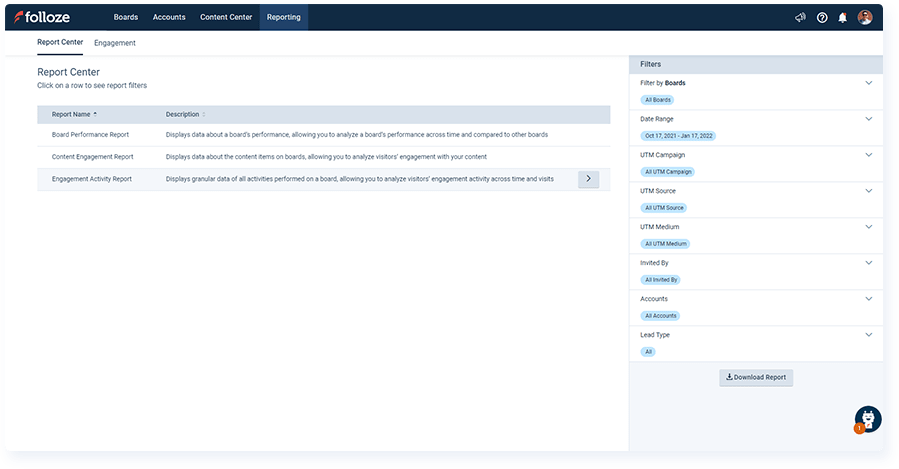
The Report Center is a brand new feature available to all users where you can create more granular, customized reports based on your needs. Whether you want a report centered around Boards, content, or engagement activities, there are several report types available, and each report type has its own list of additional options for filtering so that your report only contains the data you're looking to include (e.g., report on engagement across a specific time period).
This is just the first release of many, and future planned enhancements include additional report types, saved searches, and dashboards for visualizing this data in-app.
Why is it important?
Every successful frontline marketer takes measurement very seriously, and our vision for the Folloze platform is no different. From the Pulse Table to the Account Engagement Dashboard, and everything in between, analytics and reporting are key focus areas across the platform. However, one particular need we're addressing with this new capability is the need of individual marketers to create more custom reports, often shared internally to executives and other stakeholder teams.
The Report Center makes this custom report building a self-service task that any marketer can execute, whether you're simply reporting to an executive or syncing data back into another system of record.
What are the specifics?
There are currently three report types available as part of this first release:
- Board Performance Report: Displays data about a Board's performance, allowing you to analyze a Board's performance across time and compared to other Boards
- Content Engagement Report: Displays data about the content items on a Board, allowing you to analyze visitor engagement with your content
- Engagement Activity Report: Displays granular data of all activities performed on a Board, allowing you to analyze visitor engagement activity across time and visits
To create a custom report, first visit the Report Center by clicking 'Reporting' on the top-side toolbar of your home page. Once there, select the most appropriate report type to show an additional window of filters to be applied to your report. While you can certainly filter the data after you've exported it into a spreadsheet, the filters available in-app control what data will be included in your report in the first place. One commonly used filter, for example, is the Date Range filter, which allows you to timebox your report to include historical data within a specific time period.
To learn more about the Report Center, including additional details about the report types that are currently available, read "Report Center" in the Help Center.
ENHANCEMENTS
Access & Security: Re-Authenticate Every Session
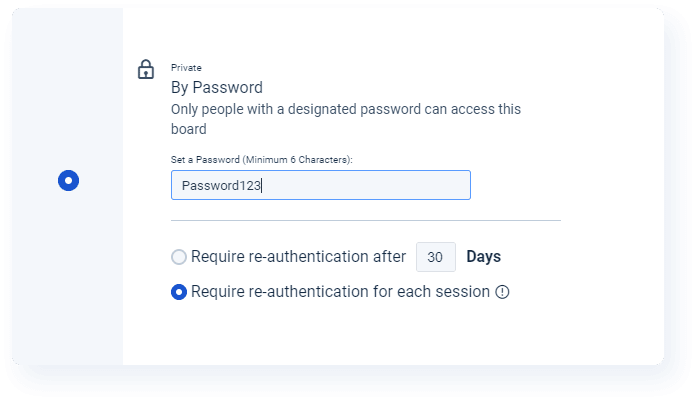
A new option to require Board visitors to authenticate themselves even more frequently is now available for both the Password and 2-Factor Authentication options inside the Access & Security menu.
When "Require re-authentication for each session" is selected, Folloze will forget a Board visitor's identity every 30 minutes, and they will be required to re-authenticate (via email or password) every time they visit the Board again in the future.
Keep in mind that this may negatively impact a visitor's experience, so it's best to reserve this option for Boards where security is a primary concern and shared content is highly sensitive.
To review the different options for protecting a Board when you need to secure sensitive content or provide only a specific audience with access to a Board, visit "Designing Board Access and Security Levels" in the Help Center.
Board Performance Report: New Report Fields
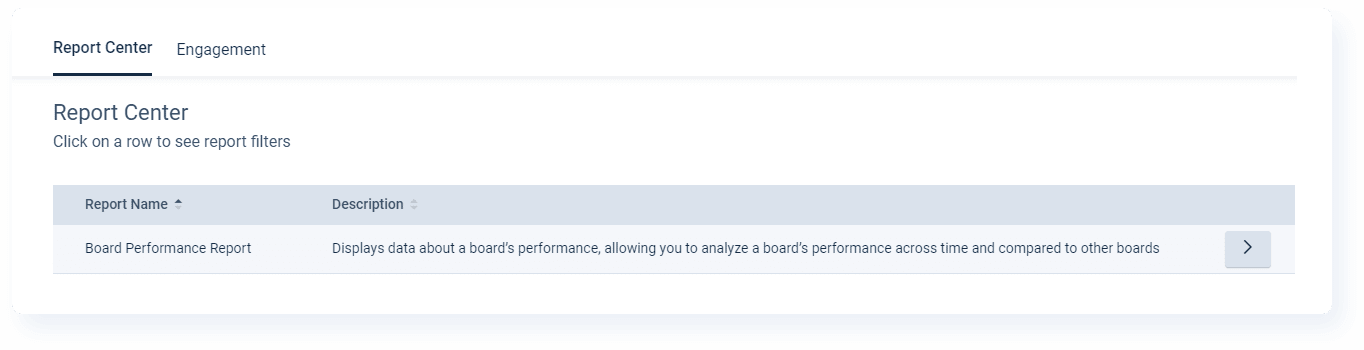
We've made a small update to the Board Performance Report to include additional fields. Now, when you download this report, you'll see new columns representing:
- Live Event
- Access & Security
- Engaged Leads By Account
- Vanity URL
COMING SOON
Folloze Live Events: Attend Status
The next major enhancement for Folloze Live Events will be an update to the Folloze platform's reporting capabilities in terms of tracking attendee status and engagement. Once released, the Pulse Table for an event will track the attendance status of registrants and will also distinguish between "live" attendance and "on-demand" attendance for an event.
This means you'll have better insight into the attendee journey before, during, and after the event, and it also means you'll be able to report on both the immediate impact of an event as well as the event's long-tail of engagement if you choose to distribute your event on-demand after the live portion ends.
ANNOUNCEMENT
The Folloze Best Board Awards 2021
Back by popular demand, the Folloze Best Board Competition is accepting submissions of your best Boards from 2021 (aka last year). If you're interested in participating, you'll want to submit your "best" Board, provided those Boards were built and/or launched in 2021. Winning submissions will highlight both your team's creativity as frontline marketers and your team's ability to personalize the buyer experience based on the overall customer journey.
There are three contest categories this year: Events, Resource Centers, and Nurture. Contestants can choose to submit their Boards as an individual or as a team. Every entry earns $10, and the winners of each category will receive a $250 gift card or donation to a charity of their choice.
The deadline for entering the competition is February 15, 2022.
For more information, including how to participate and submit your entry, visit The Folloze Best Board Awards 2021.
NOTE TO READERS
Happy New Year! However you chose to celebrate, I hope the holiday season was everything you needed it to be (and hopefully even more). Given how "eventful" 2021 felt, at least to me, I used the holiday time to decompress, spend some quality time with close ones, and think about what an ideal 2022 would look like for me.
In the same way, the entire team at Folloze just finished doing something very similar, celebrating major victories, sharing recently learned lessons, and planning for a big 2022 and what it can mean for our customers. From a rapidly growing Customer Success team to doubling down on our investments into our core products, our teams are headed into 2022 determined to increase, not decrease, our focus on being customer-centric. If we do our job right, we hope this'll be reflected in the feedback we receive from you come year's end.
Oh, and a small footnote. As someone who just recovered from a somewhat nasty cold, I hope everyone out there who has COVID or is currently under the weather gets better soon. Stay warm!
- Ryan 'Yooster' Yoo