The Folloze Product Spotlight is a monthly update of new solutions, capabilities, and product enhancements. Feel free to reach out to us with questions or feedback at product@folloze.com.
NEW FEATURES
Promoted Forms
What is it?
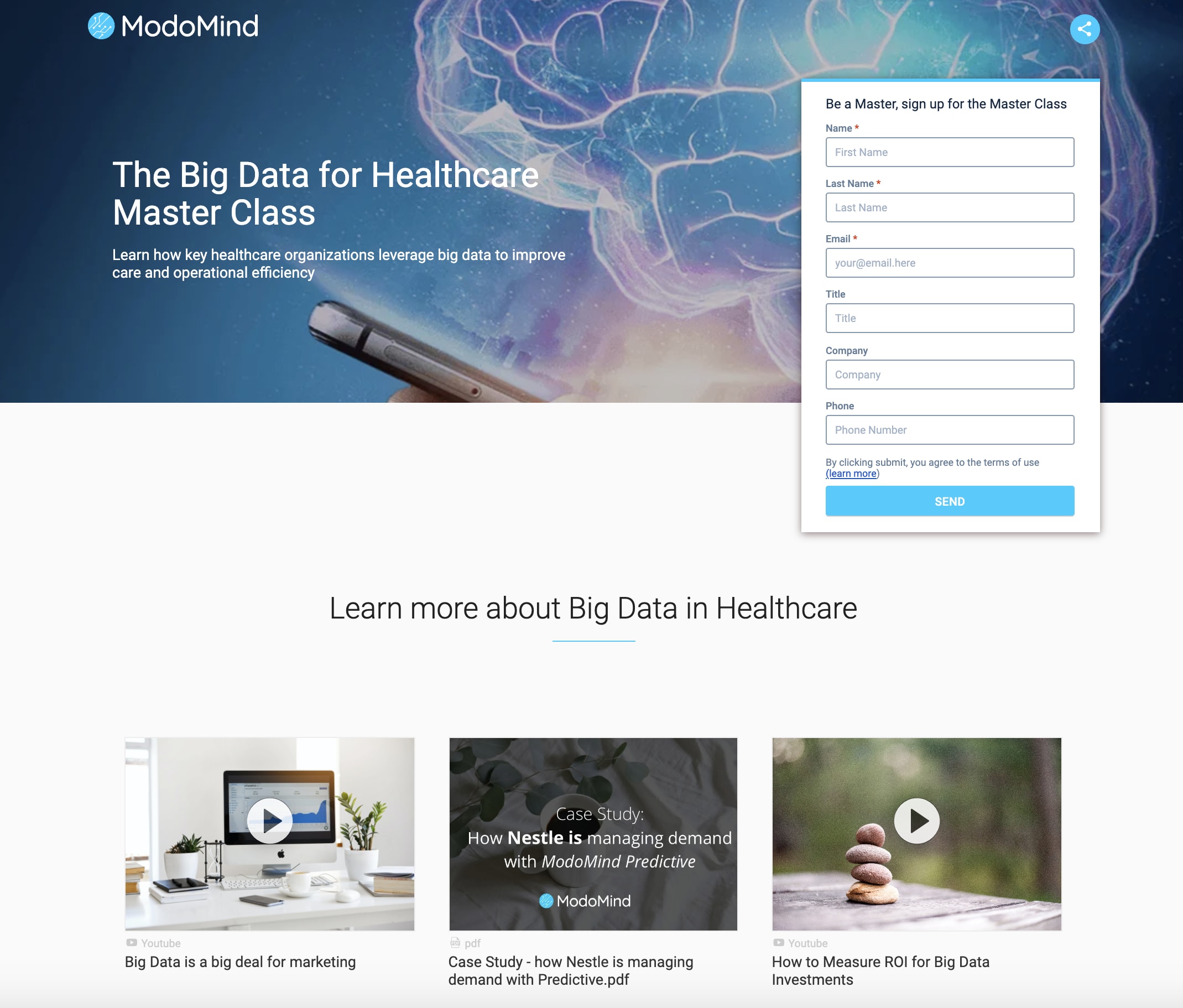
With Promoted Forms, you can now incorporate standard input form fields within Folloze Boards and create fully functional landing pages that begin rich content journeys for your B2B buyers.
Why is it important?
Every prospect typically begins their buying journey through an early-stage marketing campaign or program, such as a webcast or content download. With Promoted Forms, Folloze bolsters the impact of these programs through customized and personalized content journeys and deeper account engagement.
At the same time, Promoted Forms brings newfound agility to front-line marketers that need to quickly create engaging content-powered experiences to support their demand programs. If you're building a top-of-funnel campaign requiring lead capture and engagement, you can now support the entire campaign flow with Folloze Boards.
What are the specifics?
To get started, simply go to the 'Banner' section within the Board Designer and enable 'Show form on Board'. Our intelligent forms currently support auto-fill (based on known visitors), hidden fields and real-time personalization based on form inputs.
Native Article Publishing
What is it?
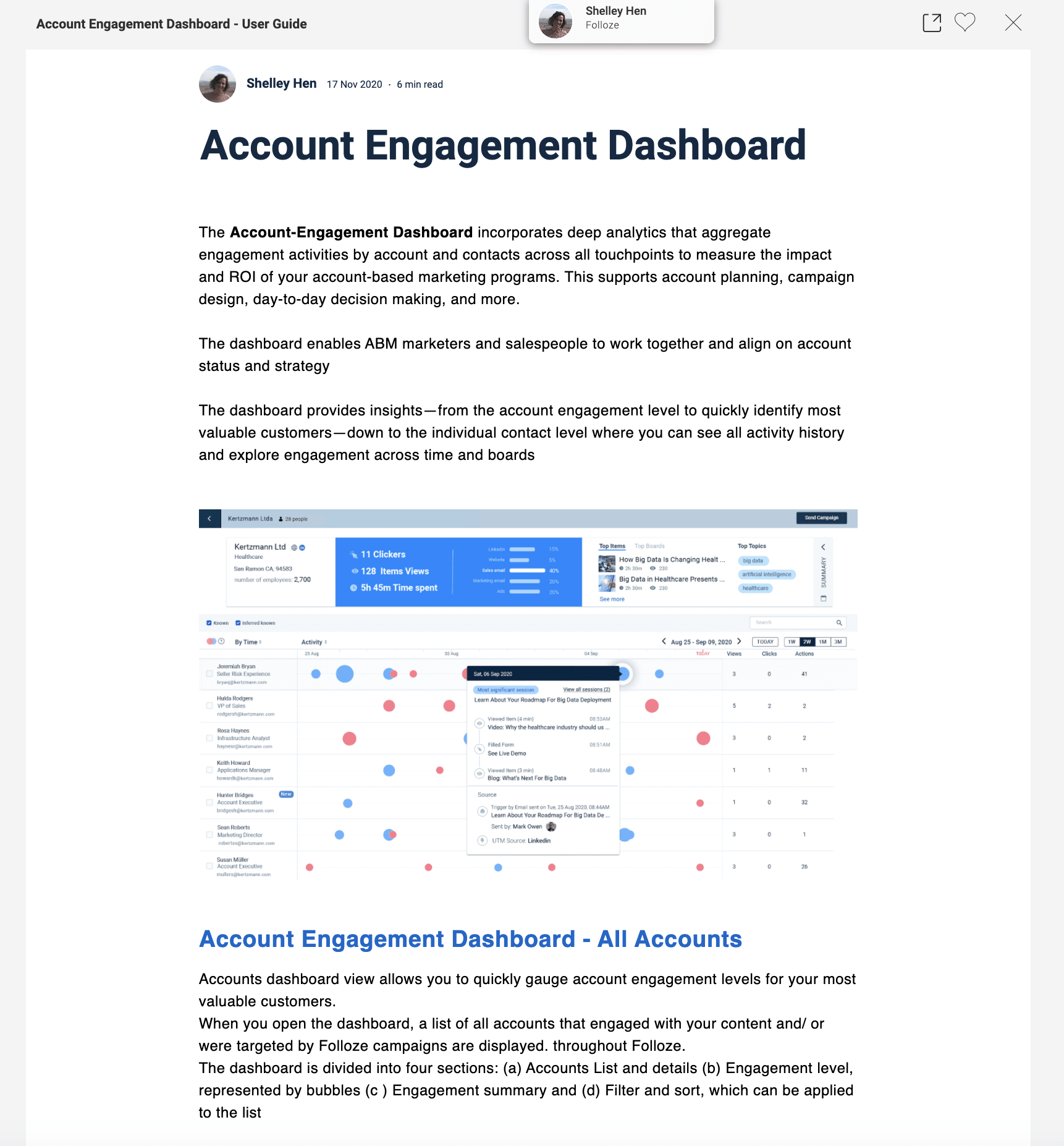
With this new release, you can now publish original content as Articles directly inside your Folloze environment. Published Articles can then be shared as content items on Boards.
Why is it important?
This new capability enables marketers to easily publish blog-style posts to a resource center or create compelling content for specific target accounts. Previously, Board builders were limited to sharing files or webpages as content items.
What are the specifics?
To get started, select '+ Add Content' when organizing content on a Board or when visiting the Content Center. You'll see a new option for 'Article' which opens our easy-to-use rich text editor. Make sure to publish Articles once you're finished so your colleagues can share these Articles within their own Boards by adding them from the Content Center.
Image Library (Admin-level)
What is it?
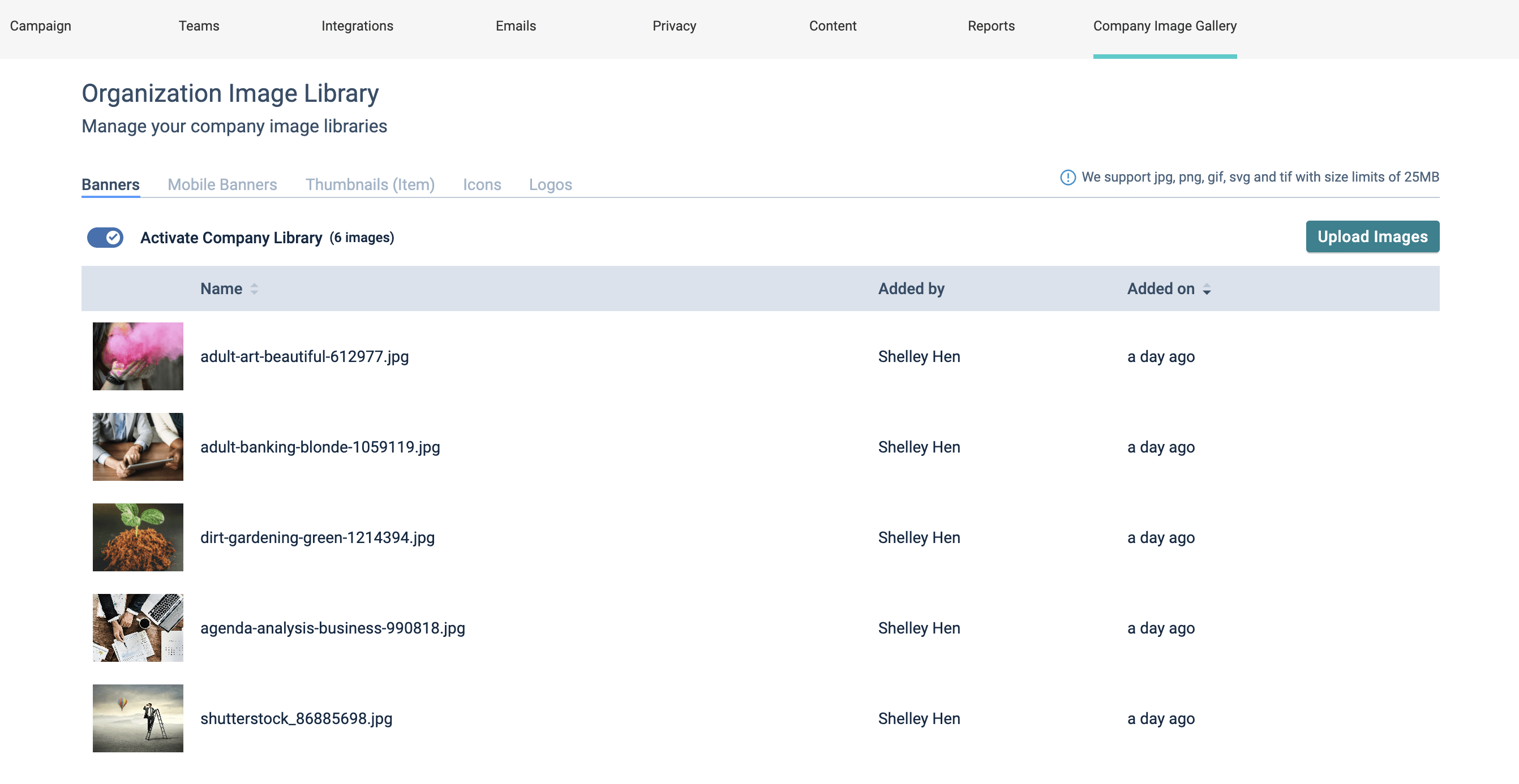
We're excited to announce the highly requested Image Library. This company-wide repository of pre-loaded banner images, item thumbnails, icons and logos will empower your organization to create visually-engaging boards that align with corporate brand guidelines.
Why is it important?
Every marketing team maintains a balance between quickly executing campaigns at scale with adherence to corporate brand and design guidelines. By building a comprehensive library of visual assets within Folloze, your marketing teams can execute brand compliant campaigns at scale.
What are the specifics?
To begin organizing your company's own Image Library, navigate to your Company Admin panel. Creative assets (Banners, Mobile Banners, Thumbnails, Icons, Logos) are grouped into different categories, allowing you to configure each individually. Once you've uploaded your assets for a specific category, simply toggle that category on to make the library available to your entire organization.
ENHANCEMENTS
Pulse Table
This month, we significantly updated our Pulse Table. Specifically, this release includes both a visual makeover and enhancements to how we track content engagement and UTM parameters:
- Attribution by visit - A Board visitor's individual sessions are now associated with UTM parameters.
- Time measurement - A Board visitor's session time at the Board level and content level are now tracked and displayed down to the second.
- Email campaign association - A Board visitor's individual sessions can now be associated with distinct email campaigns.
- Improved filtering - Filtering within the pulse table now applies to a visitor's entire session history, not just their latest one.
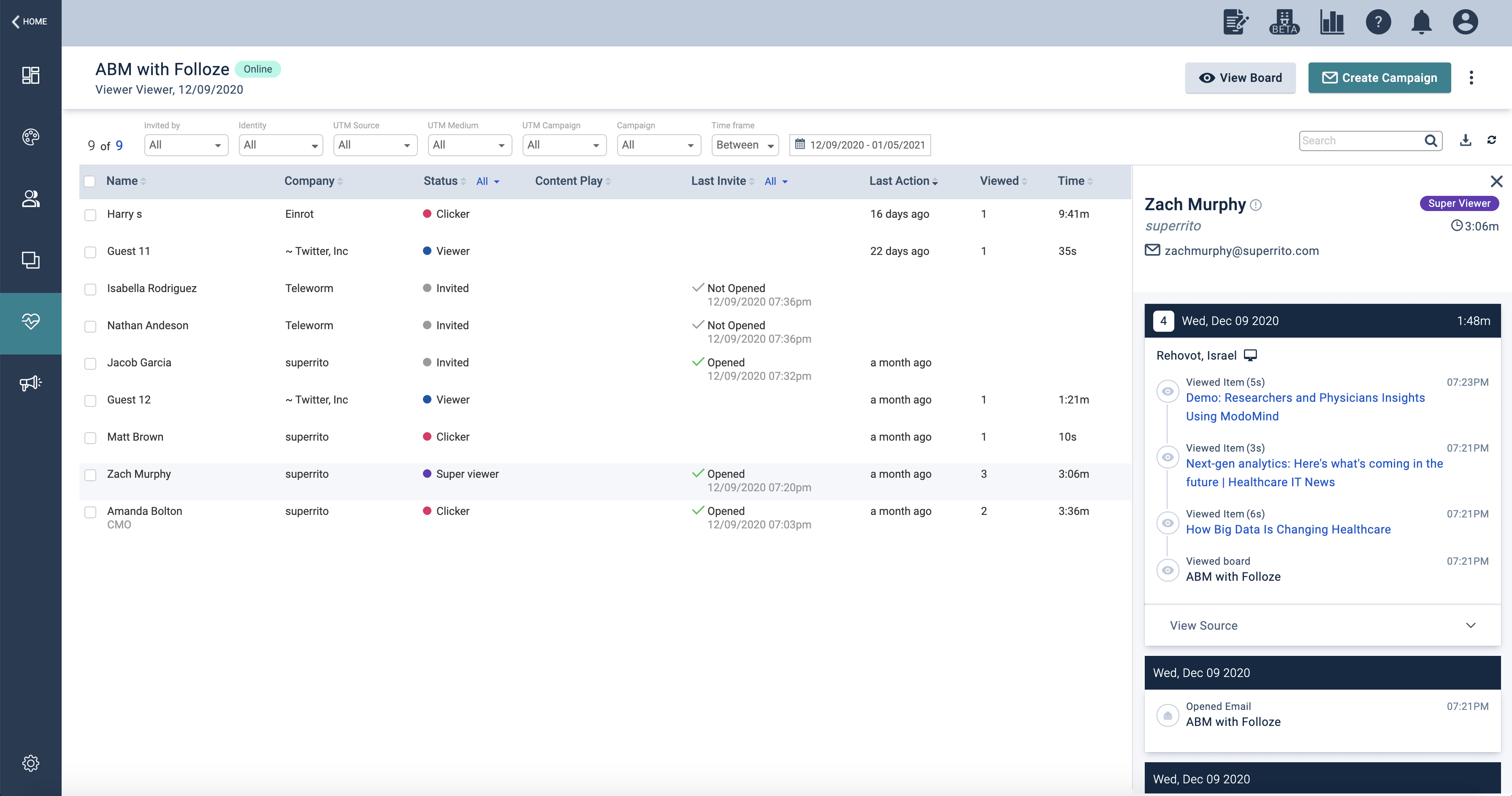
Announcing your brand new 'Activity Stream'
We are excited to announce the new and improved Activity Stream! With the new Activity Stream, we optimized the Pulse Table visualization and how Folloze displays a person's engagement history. The Activity Stream also replaces the old sidebar that appeared when viewing the engagement history for a specific person. We hope you find the new modern interface easier to digest and navigate.
Remove Testing Data
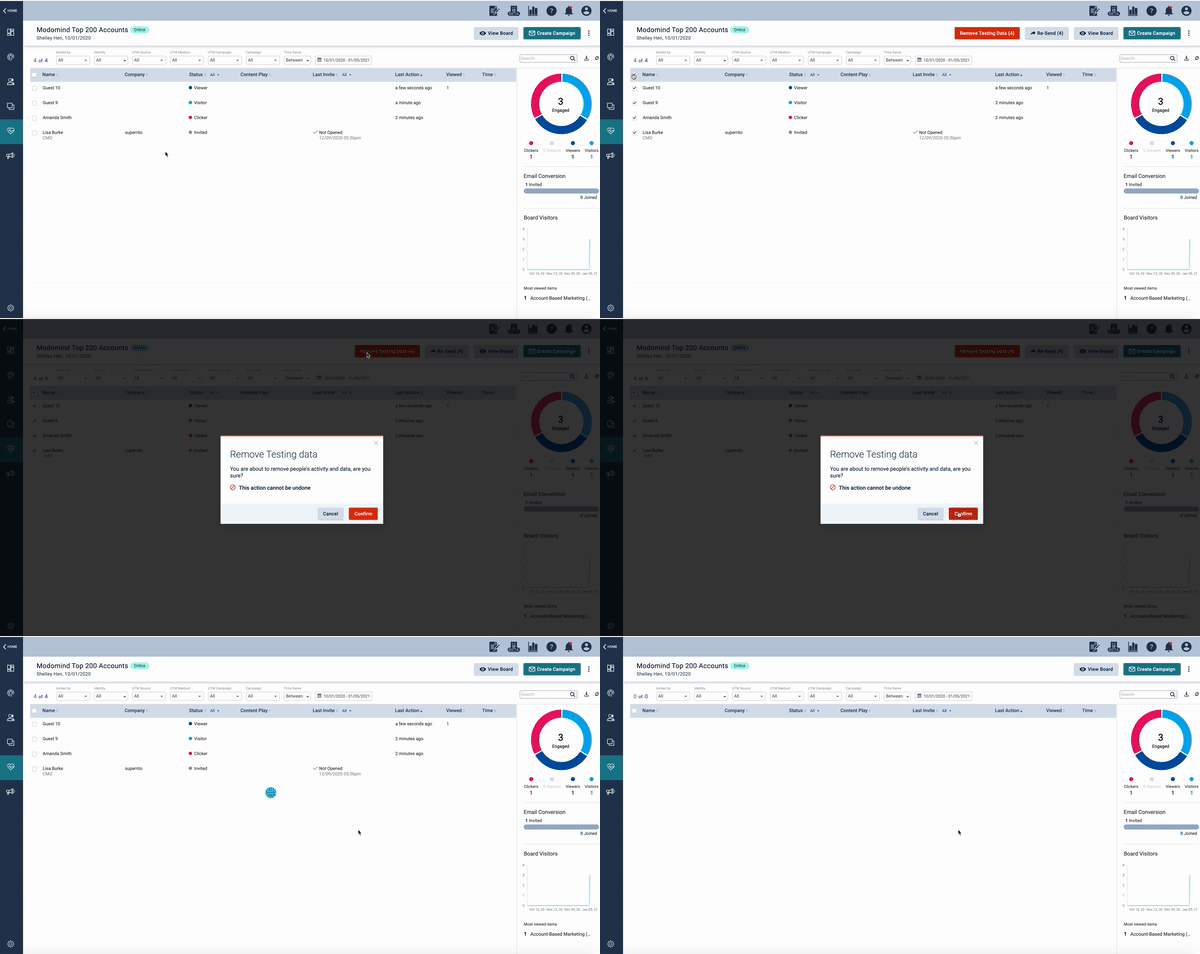
We now provide a mechanism to "clean up" a Board's Pulse Table data to improve reporting accuracy and avoid misleading data. With this enhancement, you can manually remove specific records within the Pulse Table.
Once your Board is ready to go-live, simply scrub any engagement data that Folloze captured during your Board testing. This ensures clear and accurate reporting once your Board has been launched.
Reports (Admin-level)
If you're an admin, you can now export both Board and interaction reports without requiring any assistance. You'll also find additional options for applying Board or timeframe filters as well.
If you're not an admin and require a custom report, please reach out to your team's admin or speak to your Folloze Customer Success Manager.
User Roles (Admin-level)
Ever wanted to designate someone in your organization a Super-user without giving them full admin rights? We've released a brand new user role aptly named 'Company Editor' which grants editor permissions across all Boards and content within your organization's Folloze instance. As an admin, this means expanding who can help you manage Folloze without requiring that you expose critical admin tools and integration settings.
INTEGRATIONS
Updated: Salesforce CRM
To kick off the new year, we've released a robust new way to sync Folloze engagement data directly with Salesforce, allowing additional customization based on your specific Salesforce instance.
- Create new leads / contacts - If configured to do so, the new connector can create new leads and contacts within Salesforce based on engagement within Folloze.
- Record activities - You can now record all email and engagement activities recorded by Folloze directly inside Salesforce.
- Native access to Account Dashboard - In our next release, you'll be able to access your Account Dashboard directly inside Salesforce.
For help updating to the latest Salesforce connector or getting the connector configured for the first time, please contact your Customer Success Manager to get started.
OTHER
Internet Explorer 11
Given Microsoft's recent decision to begin sunsetting Internet Explorer 11, we've decided to discontinue support for IE11 as well. More information regarding Microsoft's announcement can be found here.
Since you've made it to the end, we want to take a few extra lines and thank you for making Folloze a part of your plan to deliver more personalized engagement to your customers in 2021. None of this would be possible without the continued support of our customers, and we never take that for granted.